Search and extraction: key takeaways
- A search result can establish what appeared for a query; a page extraction lets you inspect what the selected source actually says.
- Choose collection routes by the missing evidence: candidate URLs, page contents, a site inventory, several page bodies or an interaction.
- Inspect source identity, returned content and coverage before making a claim. A successful request alone does not finish the research.
- Retain useful research deliberately when another task will need it; a returned scrape is not automatically a Memory Vault deposit.
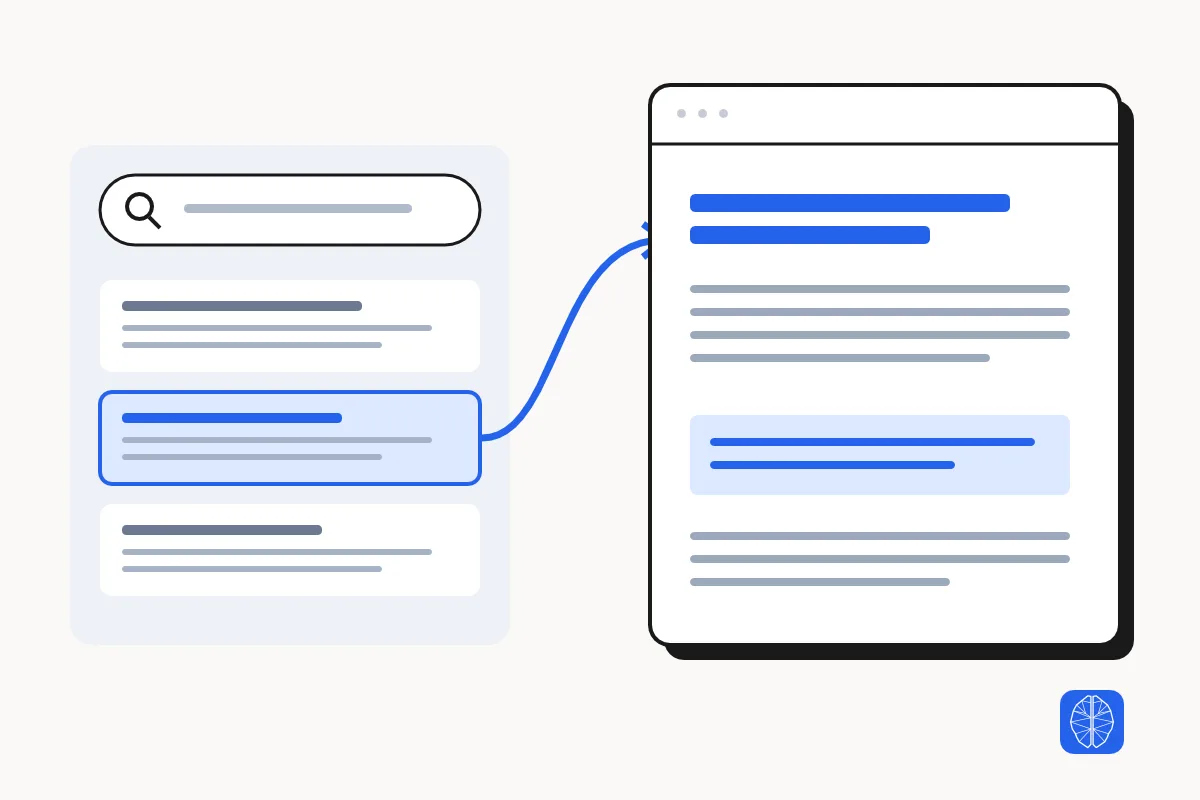
Use search when you need to discover sources or examine the results shown for a query. Use page extraction when you have a source web address (URL) and need the text, fields or other material returned from that page. A research task often needs both, but collecting every search result is rarely a useful default.
Imagine preparing an SEO client brief. A result listing can help you find competitor service pages. It cannot, by itself, establish everything those businesses offer. You need to read the relevant pages, check their conditions and record what you could not verify.
The useful question is: what evidence is missing from the answer? That determines whether to search, extract a page, map a site, crawl several pages or operate a browser.
Search results and page extraction answer different questions
A search result is a record from a search surface. It may contain a title, URL, position, snippet and other returned features. Page extraction collects material from a selected URL, such as readable text, HTML, structured fields or a screenshot, depending on the tool. These records describe different things.
A search snippet is an excerpt shown in the context of a query. It can help you decide whether a page deserves a closer read. It is not a substitute for the page when the claim depends on a price condition, a service exclusion, a table entry or an explanation omitted from that excerpt.
Extraction also has a boundary. The returned representation might omit comments, content loaded after interaction or information behind an account step. Preserve which representation you acquired and inspect it before describing the source as fully read.
Use search results when the search surface is the evidence
Search results are the right evidence when your question concerns discovery or what the search engine displayed. Examples include which sources appeared for a query, which pages occupied the returned positions, and which People Also Ask questions were visible in that capture.
With MCP Scraper, use search_serp for Google results. If a full search returns a People Also Ask preview, record it as a preview. It does not include expanded answers. If you need the answer text or source links, run a dedicated People Also Ask scrape and check what the capture returned. Keep the query and the available search context with those observations. Record the capture date, returned result scope and any language, location or device setting actually established. A search for a city does not by itself prove the search ran from that city. A returned page of results is not a census of every relevant website.
Before using search results in a report, inspect a recorded Google SERP API response and compare the requested pages, returned rows, and any missing coverage.
Choosing a provider? Compare SerpApi and DataForSEO for organic results, or compare People Also Ask tools by what they hand to a writer if the brief depends on question relationships, answers, or source links.
For an SEO brief, separate two findings: a business appeared in the captured results, and a business makes a particular service claim. The first can come from the search capture. The second needs the business’s own page or another suitable source. An AI summary shown in search should remain identified as a summary; read the cited source before relying on a material assertion.
Extract the source page when the answer depends on its contents
Extract a page when you know the URL and need to inspect the source’s actual content. This fits a competitor service page, documentation entry, pricing page or article selected during research. Skip another search when the known URL already answers the collection question.
If you are choosing how to extract a known page, compare Firecrawl Scrape and Apify Web Fetch on the same URLs. Use the source URL, heading, and opening passage to decide whether each result is usable.
If your search tool also returned page content, check the source URL and whether that content includes the passage, table or fields you need. Fetch the page separately only when the evidence you need is missing or incomplete.
Name the fields before collecting. For a service comparison, that might mean service name, stated audience, availability condition, supporting passage and source URL. For a product comparison, a price without its billing period or plan conditions is an incomplete record. Preserve absent or unreadable fields as unknown rather than filling them from a snippet or model memory.
Check the source’s own date when freshness matters, and separately record when you acquired it. A recent acquisition does not make an undated or old claim current. A source can also be wrong: reading its page verifies its wording, not the truth of every assertion on it.
What page extraction found beyond the search snippet
On November 6, 2026, MCP Scraper returned a NewsCatcher article at position 2 in a 10-result capture for “search API vs web scraping AI research.” We extracted the same URL over HTTP to check the publisher’s comparison table.
| Record | What MCP Scraper returned | What to keep in the brief |
|---|---|---|
| Google search result | The snippet distinguished HTML fetched from a website from structured results returned from an index. | Record the URL and its position in this one capture. The snippet omitted the freshness condition. |
| HTTP page extraction | The Data freshness row said the freshness of search results depends on the underlying index. | Cite the publisher’s table and retain the condition. Actual API freshness remains unmeasured. |
Sources: [research-newscatcher]
Claim: In its comparison table, NewsCatcher says search-result freshness depends on the underlying index.
Discovery: Position 2 of 10 in the November 6, 2026 capture for search API vs web scraping AI research.
Source: https://www.newscatcherapi.com/blog-posts/web-scraping-api-vs-web-search-api
Locator: Comparison table, Data freshness row.
Status: Publisher wording confirmed. Actual API freshness unmeasured.
Try the same check on a claim from your own brief. Read the NewsCatcher comparison.
- Run search_serp with your exact query. Keep the selected result’s URL, position and snippet. If the result is absent, record that outcome and leave the new position blank.
- Run extract_url on that exact public URL. Inspect the returned body or artifact for the passage that supports or qualifies the claim.
- Record the source URL, passage and any condition that changes the claim. If the passage is missing or the extraction failed, leave the claim unverified.
In an October 19, 2026 vendor-run test of 58 questions about web data tools, String reported a dollar price in the top three Google U.S. snippets for 11 questions and on the fetched pages for 39. String attempted 174 page fetches, of which 22 returned under 150 words. Check the billing period and plan conditions on the source page before using a price in a comparison. Read String’s test.
Already using Exa? See the same-URL extraction trial. Exa and MCP Scraper each returned the freshness qualification from the same NewsCatcher page. Use that check to evaluate source retrieval. The Google capture above separately shows where the URL was discovered.
Choose a map, crawl or browser for the missing step
Web crawling discovers pages by following links from a starting URL. Web scraping extracts content or fields from selected pages. A crawl can combine both by discovering URLs and extracting pages it visits. If you need a URL list, map the site. If you already know which pages contain the evidence, extract those pages directly.
Use a technical audit to investigate site conditions or a browser when the task requires visible controls or an authorized account step. If you choose a multi-page capture, apply the website crawl completeness checks before calling the research complete.
MCP Scraper’s collection toolkit provides these different routes. The table describes their research roles; exact inputs, limits and output fields belong to the current tool documentation.
| Missing evidence | Choose | Inspect in the result |
|---|---|---|
| Candidate sources for an open question | Search | Returned URLs, positions, snippets and capture scope |
| Content from a known URL | Single-page extraction | Source identity, acquired body or fields, and content omissions |
| Relevant URLs within one website | Site mapping | Discovered URLs, discovery boundary and limits; page bodies are not implied |
| Contents of several pages on a site | Site crawl | Saved page bodies plus attempted, successful, failed and remaining scope |
| Technical conditions across pages | Technical site audit | Observed issues, affected URLs and audit coverage |
| Content that needs a click, navigation or authorized human step | Browser interaction | Visible state and the material actually reached; access is not guaranteed |
Sources: [mcp-scraper] [mcp-docs]
Build a competitor brief with discovery followed by selective extraction
A competitor brief can use search to find candidate pages, then extraction to collect only the sources relevant to the brief. The following is an illustrative workflow for an SEO practitioner, not a report of a completed client project.
Start with a specific decision: which service claims should the client’s page address, and which claims can the team substantiate? Search the service and relevant market. Keep the returned listings as discovery evidence. Exclude directories, unrelated locations and duplicate businesses when they do not answer that decision, retaining the reason for exclusion.
Choose the first-party service pages that remain relevant. If a result points to a homepage, inspect that site’s navigation or map its URLs to locate the actual service page. Extract the selected pages and collect the same fields from each. Avoid comparing a detailed service page with a directory snippet as though both were equally inspected.
Write the brief from the resulting evidence. Attribute a competitor’s service-area claim to its page and keep the supporting passage. Before stating that the competitor actually serves a particular area, look for independent evidence and mark the fact as unverified if you cannot corroborate it. Ask for the client’s own evidence before making a claim about the client’s service area.
| Field | Why keep it |
|---|---|
| Source URL and page identity | Let the next reviewer find the exact page |
| Acquired date and source date, when stated | Separate collection time from the claim’s age |
| Service claim and supporting passage | Keep interpretation attached to the source wording |
| Condition or exclusion | Avoid turning a qualified offer into an unrestricted one |
| Missing field or capture limitation | Make an unresolved question visible in the brief |
Inspect partial extraction before retrying or changing routes
When extraction returns little content or a partial result, inspect what happened before sending the same request again. Read the tool’s status and any saved artifact, then compare the returned material with the content and fields the task required. A successful HTTP response—the server’s reply to a web request—can still contain a sign-in screen, challenge page or thin view.
When you can open the right page but its extracted rows or fields are incomplete, trace the missing records through the response, rendered page, and output before retrying.
Check the details that carry the claim. For a pricing table, verify that the extraction kept the plan name, price and billing period together. If the rows lost that relationship, inspect the original page before recording a price.
For extract_url, keep the returned job ID and poll extract_url_status. If the first call’s outcome is uncertain, reuse its idempotency key to recover that extraction. If the result is an artifact, read the complete relevant output instead of relying on its preview. A short preview is not evidence that the source itself was short.
Escalate according to the failure. A wrong URL calls for better source selection. An article without the required fact calls for another source or an explicit unknown. Content available only after a visible interaction may call for a browser. Site behavior and access rules still apply; switching routes does not guarantee access or completeness.
Consult the current operation’s retry and continuation rules in the API and tool documentation. Preserve the original request or job identity when the outcome is uncertain. Keep unresolved pages in the evidence record so a later writer does not mistake an incomplete sample for a complete review.
Retain sources when the research must survive the current task
Retain source evidence deliberately when another brief, client review or AI session will need it. Keep the acquired material separate from the findings you write about it. The source supports a later check; the finding explains what you concluded and under which limitations.
MCP Scraper supports optional retention into Memory Vault for supported collection results when requested. Treat that as its own step. Confirm what was saved and read it back before assuming the next task can retrieve it. Returning a scrape or saving an output artifact does not automatically establish a Memory deposit or searchable recall.
Carry forward the source URL, acquisition date, relevant scope and open questions. When the later decision depends on current information, revisit the source rather than treating a retained snapshot as permanently current. Follow the worked process to save and retrieve research in a Memory vault when that evidence must survive the current task.
Write a collection request that names the evidence you need
A useful collection request names the research decision, permitted sources, required fields and how to report missing evidence. It also tells the workflow when to stop, so a narrow brief does not expand into an unnecessary whole-site crawl. Adapt this illustrative request to your task:
Prepare evidence for a competitor service-page brief.

Search the named service and market to find candidate first-party pages.
Explain which sources you select and which you exclude.
For selected pages, collect the service claim, conditions, supporting
passage, source URL, source date if stated, and acquisition date.

Report missing fields and partial captures as unknown.
Use mapping only when the relevant page URL is unclear.
Use a browser only when the required content needs interaction.
Do not turn a search snippet into a verified service claim.
Do not save the material to Memory unless I request retention.
Use the Model Context Protocol (MCP) server workflow if you want a compatible AI client to call the collection tools. Use the API or dashboard route when that better fits the work. Check the returned source and coverage before asking the model to write the final brief.
MCP transport, combined outputs and task costs
Does an MCP connection change what the evidence proves?
Model Context Protocol (MCP) lets a compatible AI client discover and call tools. It does not make a returned claim factually verified or guarantee source access. Inspect the source identity, acquired content and coverage regardless of how the tool was called.
When a tool already returns page text, do I need a second extraction?
Use the returned text if its source identity, capture context, scope and relevant contents satisfy the task. If the response contains only a summary or excerpt, obtain the source material needed for the claim. Avoid a duplicate fetch merely because the first operation was named search.
How should I compare search and extraction cost?
Compare the cost of obtaining the evidence the task requires, including failed attempts and browser use when those apply. Check current rates and settled usage for the exact tools. A source list and a source-verified brief need different work; neither route has a universal cost advantage.
Sources
- MCP Scraper. Scraper — MCP Scraper. Accessed 2026-11-06.https://mcpscraper.dev/scraper
- MCP Scraper. API & SDK Reference. Accessed 2026-11-06.https://mcpscraper.dev/docs
- MCP Scraper. Web Scraping for AI Agents. Accessed 2026-11-06.https://mcpscraper.dev/use-cases/web-scraping-for-ai-agents
- MCP Scraper. Web Scraping MCP Server. Accessed 2026-11-06.https://mcpscraper.dev/use-cases/web-scraping-mcp-server
- MCP Scraper. Memory — MCP Scraper. Accessed 2026-11-06.https://mcpscraper.dev/memory
- NewsCatcher. (2026-04-29). Web Scraping API vs Web Search API: A Developer’s Guide to Choosing the Right Tool. Accessed 2026-11-06.https://www.newscatcherapi.com/blog-posts/web-scraping-api-vs-web-search-api
- String. (2026-10-19). Web search API vs web scraping API: which do you need?. Accessed 2026-11-06.https://usestring.ai/answers/web-search-api-vs-scraping-api
See what page extraction returns
Open the per-page extraction demo to compare example output formats, structured data and images.
Open the page extraction demo