Key takeaways
- Start with one exact search and a small question target.
- Wait at least 20 seconds before the first status check and between checks.
- Check how many questions were captured and which have answers or source links.
- Keep partial rows labeled so nobody mistakes a missing answer for a complete capture.
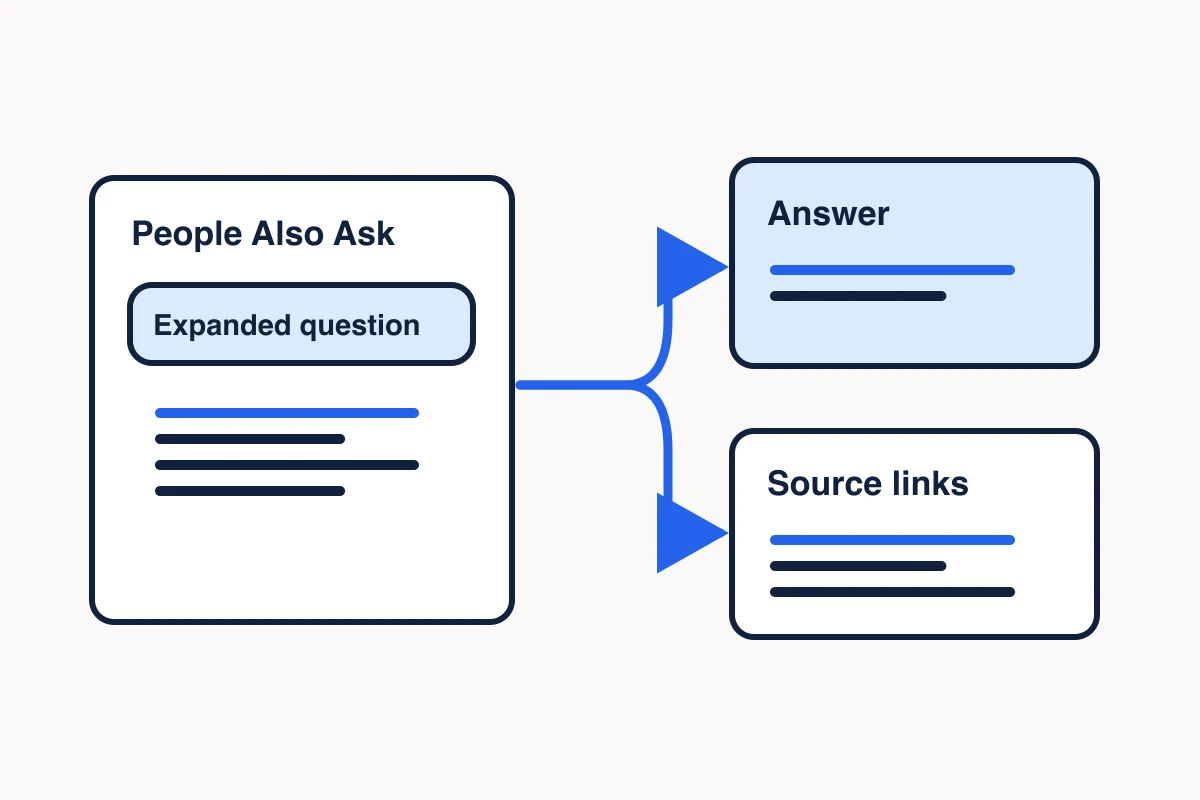
A People Also Ask scraper collects the related questions Google shows for a search and, when available, the answer text and source links behind those questions. In MCP Scraper, start a durable harvest, save the job ID, and check what it returned before handing the rows to a marketer or writer.
Start a Google People Also Ask scrape
Use harvest_paa_start in your connected MCP client. For a first pass, pick one search a customer might run and request up to ten questions. This illustrative input sets the search text, country, language and device, plus a key for recovering the same request if the reply goes missing:
{
  "query": "web scraping tools for AI workflows",
  "gl": "us",
  "hl": "en",
  "device": "desktop",
  "pages": 1,
  "maxQuestions": 10,
  "idempotencyKey": "paa-example-ai-workflows-001"
}
Use a unique key for your actual run. The key identifies this particular collection request. If you want a city-level search context, add location; put the city in query as well if it should be part of the words Google searches.
The documented MCP range for maxQuestions is 1 to 100, with a default of 30. It sets the number of questions the job aims to collect. Google may show fewer or no observable questions for that search. Setting pages to 2 asks for another page of organic results when available. The People Also Ask expansion still comes from the first page. See the MCP Scraper Docs for connection and API details.
Poll the People Also Ask job
Save the jobId from the start receipt. Wait at least 20 seconds before calling harvest_paa_status with that ID, then wait at least 20 seconds between later checks. A status check reads the existing job and does not start another one. Use the receipt's guidance if it tells you when to check again.
If the start response times out and you never got the job ID, replay the same logical start request with the same idempotencyKey to recover it. If you already have the ID, keep checking that job. A slow or interrupted response is no reason to make a new key and start a duplicate capture.
Use the returned status and terminal flag to determine whether the job is still running. While it is running, progress can show captured counts and work already observed even if the final result is still null.
Keep People Also Ask results tied to each seed keyword
When researching a list of keywords, start one MCP Scraper People Also Ask harvest for each exact query. Give each new request its own idempotency key. Save the query, requested market, language, device and returned job ID together, then check each job by that ID.
| Seed query | Job state at the recorded check | Questions ready to use |
|---|---|---|
| mcp server for web scraping | Completed with a final result | 30 returned questions, each with an answer and a source link |
| competitor ad research | Still running, with no final result | Pending |
Use one tracking row per job and one export row per question observation. Include the seed query and job ID on every question row. If a question appears under two seeds, keep both observations. You can group the question once for an editorial brief and still trace it back to both searches.
Keep a job marked pending while its final result is missing. Record zero questions only when the final result confirms zero. This lets you distinguish a search that returned nothing from a search that was still running when you checked.
Read the captured questions, answers and sources
Read the returned question rows in the completed result. Keep the original query and search context alongside the rows so someone else can tell where they came from.
If you’re deciding which tool to use for the next capture, compare People Also Ask tools by their question, answer and source outputs.
One captured question was “Which MCP server should I use?” The answer Google displayed said the choice “depends on what you are trying to build or automate.” One of the six source entries was AgentMail’s MCP server roundup. Its comparison table covers email, web research, code and billing. AgentMail includes its own product, so use the table to check how broad the question is.
For a keyword research brief about choosing a scraper, tag this question as general MCP tool selection. Keep the original seed, question, answer excerpt and source URL together in the export. Look for a narrower question before assigning a section about choosing a web scraper.
This card returned six source entries across five distinct URLs. Keep all six entries in the saved capture. In the writer’s checklist, give each distinct URL one source check and mark the claim ready only after the linked passage supports it.
Seed: mcp server for web scraping
Run reference: November 7, 2026 UTC worked example, 30 returned questions
Observed question: Which MCP server should I use?
Answer state: Text returned. Expansion completeness unknown because the capture omitted the flag.
Source checked: https://www.agentmail.to/blog/best-mcp-servers-for-ai-agents
Disposition: General MCP tool selection. The source compares multiple categories, so look for a narrower question before assigning a scraper selection section.| Field | What to keep |
|---|---|
| questionId, question | The row identifier and the wording Google displayed. |
| answer | Answer text captured from the expanded question, when present. A null answer means there is no answer text to hand off from that row. |
| answerExpansionIncomplete | If true, the answer still had content that was not expanded. Keep it labeled as an excerpt. |
| sources | The source links captured from the card. A source can include a title, site, and, when available, the description shown by Google. Preserve the links even if some labels are absent. |
Save the terminal status result as paa-result.json, including the returned question rows. Run this check with jq before sending the export to a writer. It accepts either the status object itself or a tool response with that object under structuredContent.
jq '
  def has_text: strings | test("[^[:space:]]");
  (.structuredContent // .)
  | if .status.terminal != true or (.result.questions | type) != "array"
    then error("Use a terminal status result with question rows")
    else .result.questions
    end
  | {
      questions: length,
      withAnswer: (map(select(.answer | has_text)) | length),
      withSourceLink: (map(select(any(.sources[]?; .url | has_text))) | length),
      markedIncomplete: (map(select(.answerExpansionIncomplete == true)) | length)
    }
' paa-result.json- First attempt · CAPTCHA
- 0
- Automatic retry · completed
- 30
The MCP Scraper job receipt summary shows the same job went from zero questions after a CAPTCHA to 30 on its automatic retry. If status says the job is still retrying, keep polling the same job ID. This capture shows one recovery. It does not measure how often retries succeed.
The capture above returns 30 questions, 30 with answer text, 30 with a source link, and zero marked incomplete. All 30 rows omitted the incomplete-expansion flag. Inspect the returned answers directly if your workflow depends on verifying full expansion. Answer and source-link totals can count different rows. For each question you plan to cite, check that the same row has answer text and a source URL. If the URL fails to open, keep it in the export and mark the claim unverified.
The answer and source fields describe what the scraper captured from Google. Before relying on a claim in an article, open the linked page and check that it supports the claim. If you need to retain the source text, use the page extraction demo to see the available output formats.
Decide what to keep from a running or partial scrape
Check three things separately: whether the job reached the requested count, what it observed on Google, and whether the rows it did collect contain usable answers and source links. You may have enough questions for an editorial brainstorm while still lacking sources for an article that needs citations.
If the job is still running, retain the job ID and treat counts as progress. Once it is terminal, use the returned rows and their missing-field markers to decide whether you have enough evidence for a brief or need more collection.
In one recorded run for “web scraping tools for AI workflows,” the status showed two organic pages captured and zero PAA questions preserved at that check. The job still reported itself as running with its physical outcome unresolved. That receipt confirmed the organic capture at the time. It did not establish a final PAA count, a completed harvest, or billing settlement.
Keep question-only rows for grouping or follow-up. You can turn captured questions into a content brief while recording which rows still need a source check. Mark incomplete answers and check the linked pages before citing. If the status says the worker was interrupted, keep that state in your notes; a failed interaction or timeout does not prove the PAA results were exhausted. If the status records that no PAA box was observed, limit that finding to the observed search context.
For advice on choosing useful questions and turning them into search content, use the People Also Ask SEO guide.
Sources
- MCP Scraper Docs.https://mcpscraper.dev/docs
Set up your next People Also Ask capture
See how to request a second page of organic results and verify that People Also Ask expansion stays on the first page.
Check People Also Ask pagination in Docs