Choose by the evidence you need
- Use a Google results tool when your deliverable needs ranked source URLs and visible capture limits.
- Use known-URL extraction when a claim needs a heading, passage and attributable source.
- Use a browser when the evidence only appears after a click, scroll or other page action.
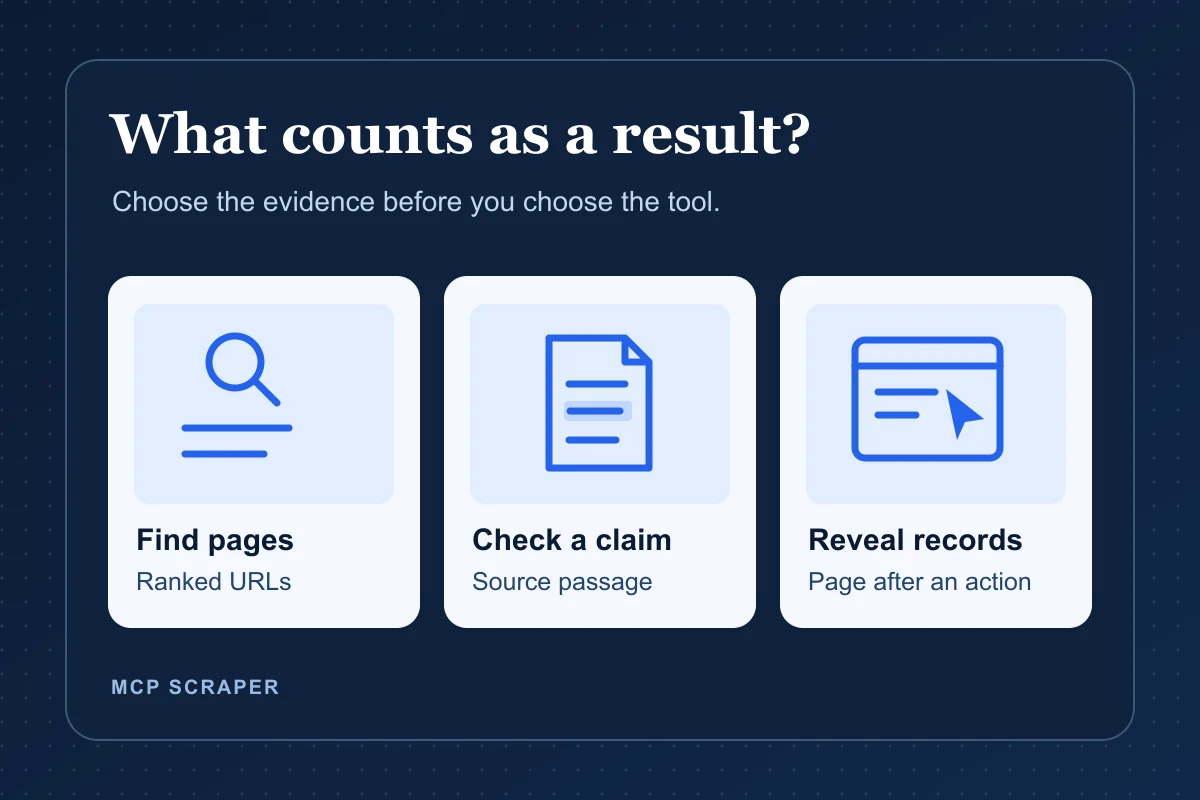
The right AI web scraping tool depends on what you need to bring back. A ranked list helps you find pages. An extract lets you check a claim on one of those pages. See the worked search-to-source example for what each step returns. A browser can reach records that only appear after an interaction. Write down the result that would pass your test before picking a provider.
MCP Scraper publishes this guide and is one of the options. Our team ran the recorded captures and trials using the operations named in each example. Each example explains what came back and what still needs checking.
Which AI web scraping tool should you test first?
What does your team need first?
Find pages from a Google query
Run one Google Search capture. Check rank, title and URL for each returned organic row, and record how many requested pages arrived. Open the recorded Google Search captures.
Verify evidence on a URL I already have
Extract one known page. Check the final URL, visible heading, selected passage and one link inside that passage. See the recorded MCP Scraper and Exa same-URL trial.
Reveal records after a browser action
Run one browser action, such as clicking Next. Confirm that the expected records appeared and check the resulting URL if navigation was part of the task. Inspect the recorded browser comparison.
| Job | Tools to test | Passing result |
|---|---|---|
| Find Google results | MCP Scraper or DataForSEO | Rank, title, URL and pages delivered |
| Verify a passage | MCP Scraper or Exa | Source URL, heading and passage |
| Reveal records | Bright Data or Apify | Required records after the action, plus the destination URL if navigation was expected |
If your existing scraper already returns the right fields from a small, stable set of pages, keep it for that job. Try another tool when an actual input exposes a gap you need to close.
For a one-off brief, check one representative capture against the fields your brief needs. For recurring work, repeat the same check at the next planned interval. Record which required fields or pages went missing and what it took to recover them before budgeting for recurring volume. Before choosing a setup, record where the next run will execute, who will notice a missing result and where the checked output needs to go. Use the same acceptance rule whether a teammate starts the run or a service schedules it.
Find candidate URLs with a Google results tool
For a competitor keyword brief, start with one query that matters to the client. Capture the first page of Google results and keep the positions, titles and URLs. If the report depends on a market, record how location, language and device were applied. A city in the query does not establish where the search ran.
The MCP Scraper examples show one complete capture with one of one requested pages delivered and a separate partial capture with one of two delivered. The partial result contains four organic rows. Use those rows when your task can proceed with page one. Mark the capture incomplete when your brief requires both pages.
Inspect the complete and partial Google Search captures
Consider DataForSEO Google Organic when your workflow needs its Google result format or queued delivery. The recorded parser example used the same query in both tools but returned different result sets, and equivalent search locations were not verified. Compare your own outputs under the same verified settings before making a coverage decision. Open the URLs you plan to cite as a separate check.
Read the same-query parser test
When you need relevant sources for a natural-language question instead of Google positions, Exa Search is a documented option. Judge the relevance of the returned sources against your question.
Verify a claim with known-URL extraction
Give each tool the same public URL and the field or passage you need. For a competitor brief, ask for the source URL, main heading and the sentence that supports your claim. If the passage includes a condition, keep it with the claim.
In one trial on a NewsCatcher article, MCP Scraper’s extract_url and Exa’s hosted MCP web_fetch_exa both returned the expected heading and the qualification that search freshness depends on the underlying index. This shows that both outputs preserved the condition on that page. Actual API freshness was outside the test.
Inspect the same-URL NewsCatcher trial
| What to record | Exa hosted MCP page fetch | MCP Scraper URL extraction |
|---|---|---|
| Shared input | Same public NewsCatcher article | Same public NewsCatcher article |
| Pass rule | Return the heading and the index-freshness qualification | Return the heading and the index-freshness qualification |
| Output | Both fields in the returned page body | Both fields in a saved Markdown artifact |
| Result and retries | Pass on first extraction attempt | Pass on first extraction attempt |
| Billed units and settled cost | Unknown | Unknown |
Sources: [exa-trial]
Open the same-job trial worksheet (CSV). Use the two blank rows to test your own shortlist. The two completed rows show the recorded trial and mark billing as unknown.
Extract this public page with MCP Scraper: https://www.newscatcherapi.com/blog-posts/web-scraping-api-vs-web-search-api
Return the source URL, article heading, and the passage qualifying search-result freshness. Keep the condition that freshness depends on the underlying index. If the extraction is pending, check the same job for its result or reported failure. Open the returned result. Mark Pass only when the source URL matches and both content checks are present. Mark Partial when it opens but a required field is missing. Mark Unverified when you cannot open it. Give me the result link and the evidence for that status.Returned resultSource URLMatched the requested page
https://www.newscatcherapi.com/blog-posts/web-scraping-api-vs-web-search-api
Saved MarkdownArticle headingPresent in the page body
Web Scraping API vs Web Search API: A Developer's Guide to Choosing the Right Tool
Saved MarkdownFreshness qualificationPresent in the page body
“Real-time to near-real-time (depends on index)”
Source: MCP Scraper’s recorded extraction of the NewsCatcher article. This check covered one page and did not measure API freshness, coverage across other pages, or comparative cost.
Run this worksheet with two shortlisted tools. Keep the input and acceptance rule fixed. Record each returned scope and delivery format, classify the result as pass, partial or unverified, then record retries and settled charges. Include retry charges when calculating cost per passing task. Compare costs only when both totals cover the same scope and currency. The November 8 trial did not measure billing or verify equivalent cache conditions.
The separate Firecrawl Scrape and Apify Web Fetch trial checked the expected heading and passage on two public URLs. Apify met the rule on both inputs and Firecrawl met it on one. The inputs and acceptance rule belong to that trial. Use the published results to choose what to check on your own pages.
Inspect the Firecrawl and Apify two-page trial
Check the separate Firecrawl and Jina Reader field test for a known URL
For a spreadsheet handoff, make one CSV row per checked source. Keep the URL, capture date, extraction status, and whether the result retained the required heading and qualification. Download the November 8 checked NewsCatcher row. If you import it into Google Sheets, check that the URL, date, and both verification fields survived.
MCP Scraper extracted the same NewsCatcher URL on November 8 and November 10, 2026 UTC. Both runs returned the requested URL and preserved the heading and the index-freshness qualification. Download the two-run check (CSV). These were two recorded checks of one public page. They do not establish a scheduled run, equivalent cache conditions, or reliability across other pages.
Use a hosted browser when the result needs an action
When records appear after clicking Next, test that exact action. Record the initial URL and records, the records returned after the click, and whether the URL changed when you expected navigation. A response that accepts the click leaves you with a separate question about what the page did.
Bright Data Browser API and Apify Playwright Scraper each returned ten records on the first page and ten after one Next click in the Quotes to Scrape JavaScript sandbox. The quote, author and tag fields matched the local Chrome control in the same order. That trial covers one public fixture and one action.
If your task needs several actions, write the complete sequence before the trial. For example, choose a filter, advance to the next page, and check the final records against the source. Record the expected result at each step. If the final required records are missing, classify the task as partial even when earlier actions succeeded. For a visual scraper, also record any manual field selection or pagination setup and who can repair it.
Inspect the hosted browser trial
In a separate MCP Scraper coordinate-tool retest on the same sandbox, the first ten records matched the control. MCP Scraper located Next and acknowledged a click. Seven reads over about 22 seconds still showed the first page. The second page was unverified, so keep that run separate from the earlier peer trial.
Compare web scraping API pricing on the same job
Start with the result your team can use. For a competitor brief, require the final source URL and a passage that supports the claim. Then compare the monthly charge, billed usage and number of results that meet that rule. The numbers below are a plan estimate. The recorded tool trials elsewhere in this guide did not measure comparative billing.
| Provider and operation | Paid monthly plan and allowance | Modeled usage |
|---|---|---|
| MCP Scraper single-URL extraction | Starter $12 after the introductory month, 80,000 Credits | 1,000 Credits, 1.25% of plan |
| Firecrawl basic Scrape | Hobby $19 billed monthly, 5,000 credits | 1,000 credits, 20% of plan |
| ScraperAPI standard page request | Hobby $49 billed monthly, 100,000 API credits | 1,000 API credits, 1% of plan |
Sources: [mcp-pricing] [firecrawl-pricing] [scraperapi-pricing]
Published USD rates checked November 10, 2026. Each provider lists one credit for the selected base operation, so the model assigns 1,000 credits to 1,000 requests. It excludes browser sessions, special-domain or output charges, retries, tax and downstream processing. Firecrawl also lists a 1,000-credit monthly Free plan with lower request limits. ScraperAPI offers trial credits and says actual usage depends on the target and request options. MCP Scraper has a separate introductory price. The percentages show how much of each named allowance the model uses. The plan charge is separate.
Before budgeting a larger job, run a small matched set with the same acceptance rule. Some operations deliver HTML that you still need to parse. Record the delivered passage, any extra processing, failed attempts and the settled charge for each tool. Use the same-job worksheet to record the run environment, who checks for missing results and where checked output goes. Calculate cost per passing result only after both trials return comparable billing and outcome records.
| Buyer question | Evidence to record |
|---|---|
| Does this plan permit the workflow? | Verify access to the API or export you need, the intended schedule, and the limits on pages per run or concurrent work. |
| Can the job finish before the deadline? | Time a small representative batch. Record pages attempted, accepted results, failures and retries. Compare that result with your batch size and run limits. |
| Who can keep it running? | Record manual setup and recovery work. If the workflow must run with your computer off, test the intended hosted setup before relying on it. |
Save the source and limits with your research
Keep the URL, capture date, expected fields, delivered fields and any missing coverage in your brief. If you need the evidence in a later session, save the checked extract and its source together in your project workspace or Memory Vault. Attach the conclusion to the passage that supports it so another person can repeat the check.
After checking the extract, give your model the source URL, the passage and your question. Ask it to keep any qualification with the claim and identify missing evidence. Check its draft against the passage before copying the finding into your brief. In the NewsCatcher example, a draft that drops the dependence on the underlying index needs correction before reuse.
For a structured result, open one source record and compare each required value with it. Leave a missing value blank and flag any returned value you cannot verify.
Sources
- Recorded complete and partial Google Search captures.https://mcpscraper.dev/use-cases/google-serp-api#sample-result
- Same-query parser example.https://mcpscraper.dev/alternatives/dataforseo#one-query-parser-test
- DataForSEO Google Organic documentation.https://docs.dataforseo.com/v3/serp/google/organic/overview/
- Exa and MCP Scraper same-URL extraction trial.https://mcpscraper.dev/alternatives/exa#same-url-trial
- Firecrawl and Apify two-page trial.https://mcpscraper.dev/compare/firecrawl-vs-apify#two-page-trial
- Bright Data and Apify hosted browser trial.https://mcpscraper.dev/compare/bright-data-vs-apify#hosted-browser-trial
- Quotes to Scrape JavaScript sandbox.https://quotes.toscrape.com/js/
- MCP Scraper Pricing and Credit rate card.https://mcpscraper.dev/pricing#rate-card
- Firecrawl plan and API credit pricing.https://www.firecrawl.dev/pricing
- ScraperAPI plan pricing and API credit FAQ.https://www.scraperapi.com/pricing/
Choose a scraper workflow to test
Use the MCP Scraper workflow selector to pick an operation for your source and see what to check in the output.
Open the MCP Scraper workflow selector