Key takeaways
- Separate missing URLs, missing records, missing fields, and missing continuation pages.
- Check what the raw response contains before deciding whether a browser is necessary.
- Compare specific records and fields across the browser and extracted output. Matching counts alone can hide duplicates.
- Keep the expected and observed counts, source URLs, and failure evidence with the result.
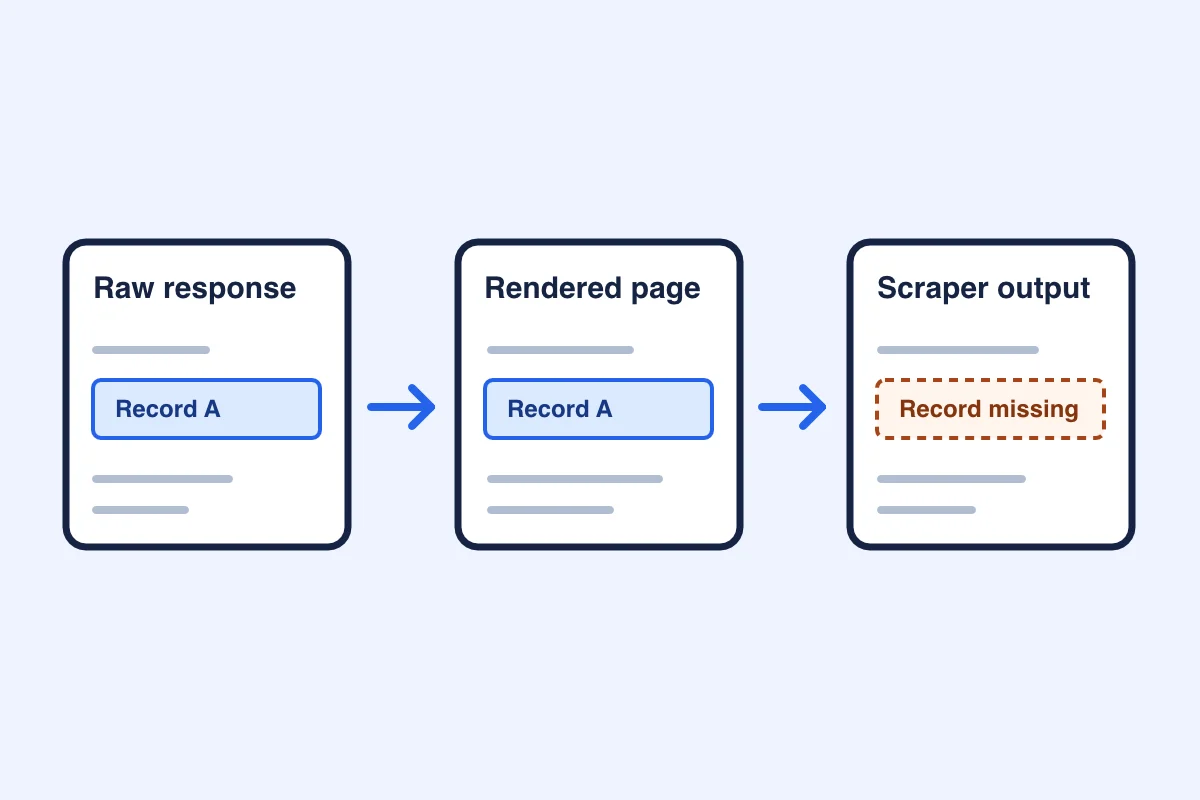
When a scrape returns fewer records than expected, compare the request, raw response, rendered page, and output for one URL. Start with the first point where a known record disappears. That tells you whether to investigate crawl coverage, inspect embedded data, adjust extraction, or check pagination before retrying.
Identify what went missing
Choose one URL you can inspect and name what should be there. For example, pick a listing you can see in a browser and record its source link and the fields your downstream process requires. If the site provides no reliable expected count, call that count unknown and check a sample of known records.
| Symptom | First check | Where to go next |
|---|---|---|
| An expected page is absent | Check whether the crawl discovered the URL, attempted it, and returned it. | Use the crawl-completeness guide to reconcile those stages. |
| A page was fetched but an expected record is absent | Compare the response body and rendered page for that record. | Check initial markup and embedded data before changing the extraction method. |
| A record is present but a required field is blank | Open the same record in the source and compare the field in raw HTML, rendered HTML, and the extracted output. | Distinguish a field the source omitted from one that the extraction failed to retain. |
| The first page looks right but later records are absent or repeated | Compare the continuation target and record IDs across steps. | Check whether advancing produces a new set of records. |
For a missing URL, use the crawl-completeness guide to reconcile discovery, attempts and returned pages.
If the source is Google Search results and the response shows a successful first page followed by a failed page, use the Google SERP capture example in Docs. It explains how to interpret that response. Use the search versus page extraction guide when you still need to decide whether a result listing or the underlying page is the right source.
Inspect the raw response for the missing records
Check the final URL after redirects, the status and content type, and whether the body contains the page you intended to collect. A status of 200 confirms an HTTP response. A parser can still find zero matching record elements in that body.
If the source page shows no records, confirm that you reached the intended URL with the intended filters and that the page shows its own empty state. If you cannot confirm those checks, mark the result unknown and keep the response for diagnosis.
Search for a known record identifier or distinctive text in the response. Check normal HTML elements and structured data embedded in scripts. Keep those counts separate. Embedded records may contain the required fields even when the page has no record cards in its initial markup.
In the public Quotes to Scrape JavaScript sandbox[sandbox-js], both inspected URLs returned HTTP 200 and zero quote elements in initial HTML. Each response still contained ten records in inline data. The static control[sandbox-static] returned ten quote elements directly. The JavaScript pages demonstrate how a selector can return zero while the same response contains useful data elsewhere.
To reproduce the raw-response check, save this Python 3 script as check-sandbox.py and run python3 check-sandbox.py. It makes one request per sandbox URL and counts the quote elements separately from the records embedded in the page’s data variable.
import json
import re
from html.parser import HTMLParser
from urllib.request import urlopen


class QuoteCounter(HTMLParser):
    count = 0

    def handle_starttag(self, tag, attrs):
        if "quote" in (dict(attrs).get("class") or "").split():
            self.count += 1


base = "https://quotes.toscrape.com"
for path in ("/", "/js/", "/js/page/2/"):
    with urlopen(base + path, timeout=15) as response:
        html = response.read().decode("utf-8")
        status = response.status

    counter = QuoteCounter()
    counter.feed(html)
    match = re.search(r"\bvar\s+data\s*=\s*(?=\[)", html)
    embedded_count = None
    if match:
        records, _ = json.JSONDecoder().raw_decode(html, match.end())
        embedded_count = len(records)

    print(path, status, "HTML:", counter.count, "embedded:", embedded_count)
Expect ten quote elements on the static page and zero on each JavaScript page. The two JavaScript responses each contain ten embedded records. The script checks this sandbox’s markup and data variable. Use the browser comparison below to check what actually renders.
Compare the same records in the browser and your output
Open the same source in a browser and look for the expected record and required fields. Compare the record across the initial response, rendered page and your output. If a field is present in the source but absent in your output, trace the extraction rule for that field. If it is absent from the source as well, record that boundary instead of filling the blank from an assumption.
If the extracted row contains the field but the delivered CSV or table drops it, follow one record ID through normalization, required-field validation and deduplication. Compare the values at each stage and record the first stage that removes the row or field. Keep the rejection reason and, for a duplicate, the matching ID. Scrapy item pipeline examples
Use stable record IDs where available. For the sandbox comparison, we used fingerprints of quote text and checked text, author, and tags separately.
To repeat the rendered-field check, open sandbox page 1 and sandbox page 2 in Chrome. Wait for the quotes to appear, then run the snippet in DevTools Console on each page.
const records = Array.from(document.querySelectorAll(".quote"), card => ({
  text: card.querySelector(".text")?.textContent.trim() ?? null,
  author: card.querySelector(".author")?.textContent.trim() ?? null,
  tags: Array.from(card.querySelectorAll(".tag"), tag => tag.textContent.trim())
}));

console.table(records);
records;
In our check, each page displayed ten rows with text, an author and at least one tag. The second page had ten different quote texts. Pick a quote text and compare its author and tags against the matching row in your extraction output. A missing field and a missing record require different checks.
If the rendered page has records your scraper missed, open Chrome DevTools Network. Turn on Preserve log, reload the page, then repeat the click or scroll that reveals the records. Use Fetch/XHR to inspect background requests. Open a relevant response and look for one record you can identify on the page. Check Doc for the page response too. The data can arrive inside the HTML and still be absent from the initial record elements.
On November 8, 2026 UTC, in our Chrome check of the JavaScript Quotes to Scrape sandbox, Next loaded a second HTML document. We observed no Fetch/XHR responses during the two-page check. Each page still rendered ten quotes from data embedded in its HTML. If the background request list is empty, check the document response before changing your scraper.
Quote elements in initial HTML0
- Page 1: 0
- Page 2: 0
Records in embedded data20
- Page 1: 10
- Page 2: 10
Records in Chrome-rendered HTML20
- Page 1: 10
- Page 2: 10
Records retained by the local extractor20
- Page 1: 10
- Page 2: 10
Sources: sandbox page 1 and sandbox page 2. The chart compares the same two JavaScript pages. The local extractor received Chrome-rendered HTML from the test harness.
The embedded records matched the Chrome fingerprints in order, with 20 distinct fingerprints across the two pages. The local MCP Scraper core retained the same records when the test harness supplied Chrome-rendered HTML to its fallback callback. The two hosted extraction jobs for the first pages of the static and JavaScript versions both ended in failure and were refunded. The successful comparison demonstrates the local extraction path with a supplied browser response. Hosted extraction did not return record results in these runs.
If you need to repeat the click in a hosted setup, compare the Bright Data and Apify browser runs on the same public fixture.
Replay: November 10, 2026 UTC on https://quotes.toscrape.com/js/
Initial HTML: 0 quote elements.
Embedded and rendered record: Albert Einstein. Tags: change, deep-thoughts, thinking, world.
UTF-8 quote text SHA-256: d3a0b108aa2c0249510537e897a75852d68ce2e1aa2a0a88cd396b2a90e45907
Decision: The record existed in the embedded data and matched the rendered card. For this record, check the extraction method before concluding the source is missing it.
Scope: This was a sandbox replay. The earlier local extraction counts and hosted failures are separate observations.
Verify that pagination adds new records
- Capture the first page’s URL or cursor and its record IDs. Keep a stable fingerprint when the source has no suitable ID.
- Follow the actual Next link or activate the site’s continuation control. Record the resulting URL, cursor, or rendered state.
- Compare the new IDs with the prior set. Record how many were new, repeated, or missing required fields.
- Stop and investigate if a continuation you expected is absent or the same records recur without progress. Mark the sample partial if you cannot establish that the source is exhausted.
In the sandbox, following Next produced the second JavaScript page[sandbox-page-two] with ten different fingerprints. That proves progress across the two inspected pages. To validate a longer run, check each continuation and account for any skipped or failed step.
Record the results you can use
Record the source URL, capture time, extraction method, expected count if known, observed and distinct record counts, required fields, and missing values. Note which pages and states you checked, where a failure occurred, and what another operator would need to reproduce it. Label a partial sample so a downstream report or agent can distinguish known records from unmeasured coverage.
Source: https://quotes.toscrape.com/js/ and https://quotes.toscrape.com/js/page/2/
Scope: Chrome recheck of two JavaScript pages on November 8, 2026 UTC. The local core and hosted rows record earlier runs.
Initial HTML: 0 quote elements. Embedded data: 20 quote records.
Chrome: 20 distinct quotes with text, author and tags.
Local extractor: Retained all 20 records with Chrome-rendered HTML supplied.
Original hosted runs: First static page and first JavaScript page only. Both failed and were refunded. No records returned.
Coverage beyond the two inspected pages: Unmeasured.
If the evidence needs to survive into a later task, use the Memory Vault guide to save the checked source and keep your interpretation separate. Reopen the saved record before relying on it.
Sources
- Quotes to Scrape. Static sandbox control.https://quotes.toscrape.com/
- Quotes to Scrape. JavaScript sandbox, first page.https://quotes.toscrape.com/js/
- Quotes to Scrape. JavaScript sandbox, second page.https://quotes.toscrape.com/js/page/2/
- MCP Scraper. MCP Scraper API and SDK reference.https://mcpscraper.dev/docs
- Chrome for Developers. Chrome DevTools Network reference.https://developer.chrome.com/docs/devtools/network/reference
- MCP Scraper. Google SERP capture example.https://mcpscraper.dev/docs#google-serp-capture
Continue with one known record
Open the extraction demo and select Formats to compare a sample in HTML, JSON and Markdown. When you run your own extraction, match one returned record and its required fields against the original page before using the rest.
Inspect page extraction outputs