MCP Scraper
Log inFree to Start

MCP Scraper

Web Scraping for AI Agents

Give your AI agent useful web data.

Search, scrape, and browse in one place.

Search the web, scrape one page or a whole site, collect data from Maps and social platforms, and open a real browser when the job needs one.

  • 148 tools
  • 10,000 pages per crawl
  • Live browser watch & takeover

Everything your agent needs to work with the web.

Use one toolkit to find information, collect it, check the sources, and keep going when a normal scraper cannot finish the job.

  • Search
  • Scrape
  • Map
  • Crawl
  • Google Maps
  • Reddit
  • YouTube
  • Ad libraries
  • Live browser

Actual outputs

Explore four real outputs.

Maps, query fan-out, hosted browser, and site mapping each have their own three-image carousel. Swipe on touchscreens or use the arrows.

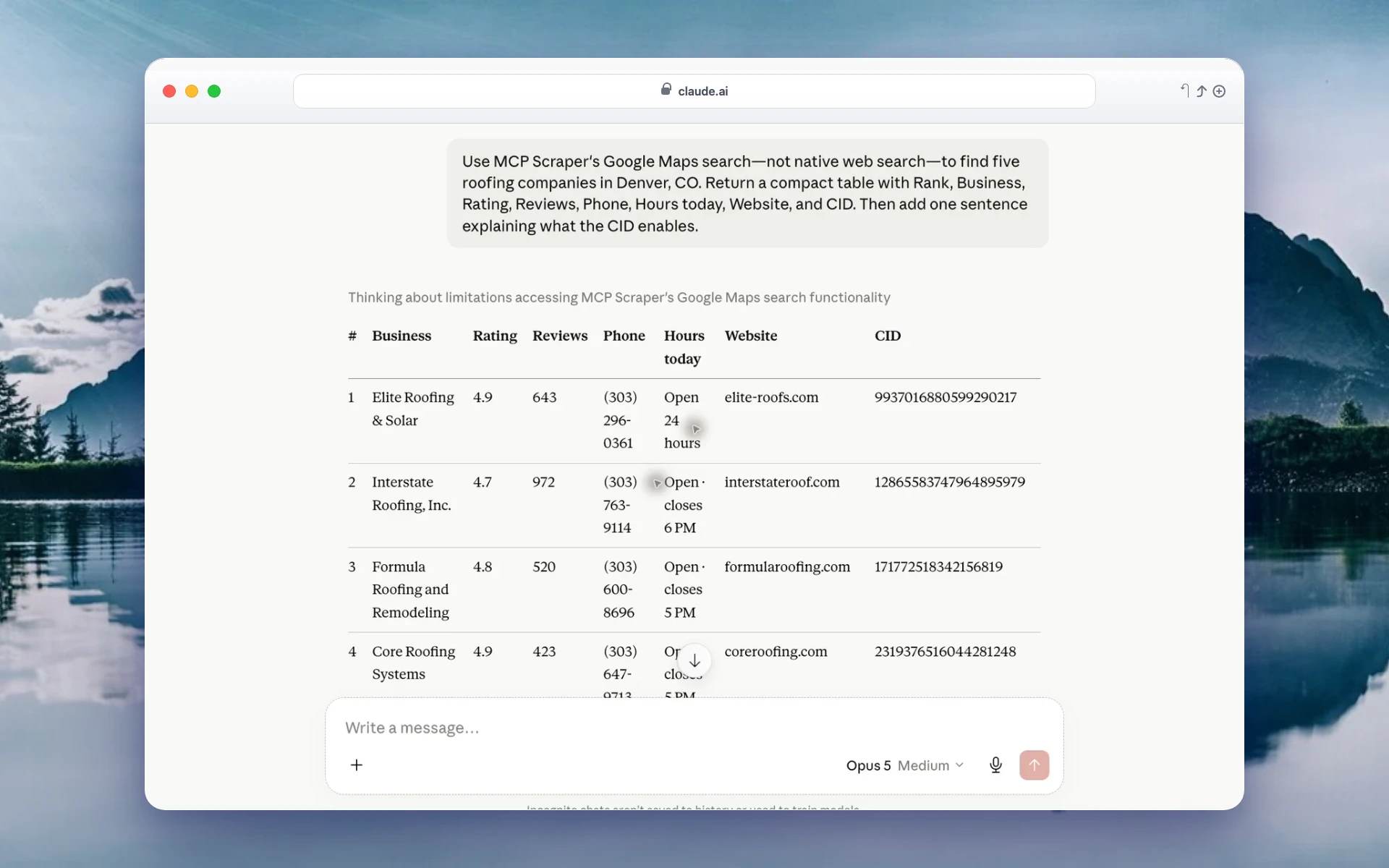
Google Maps results

The request, ranked businesses, and returned business fields.

Full result
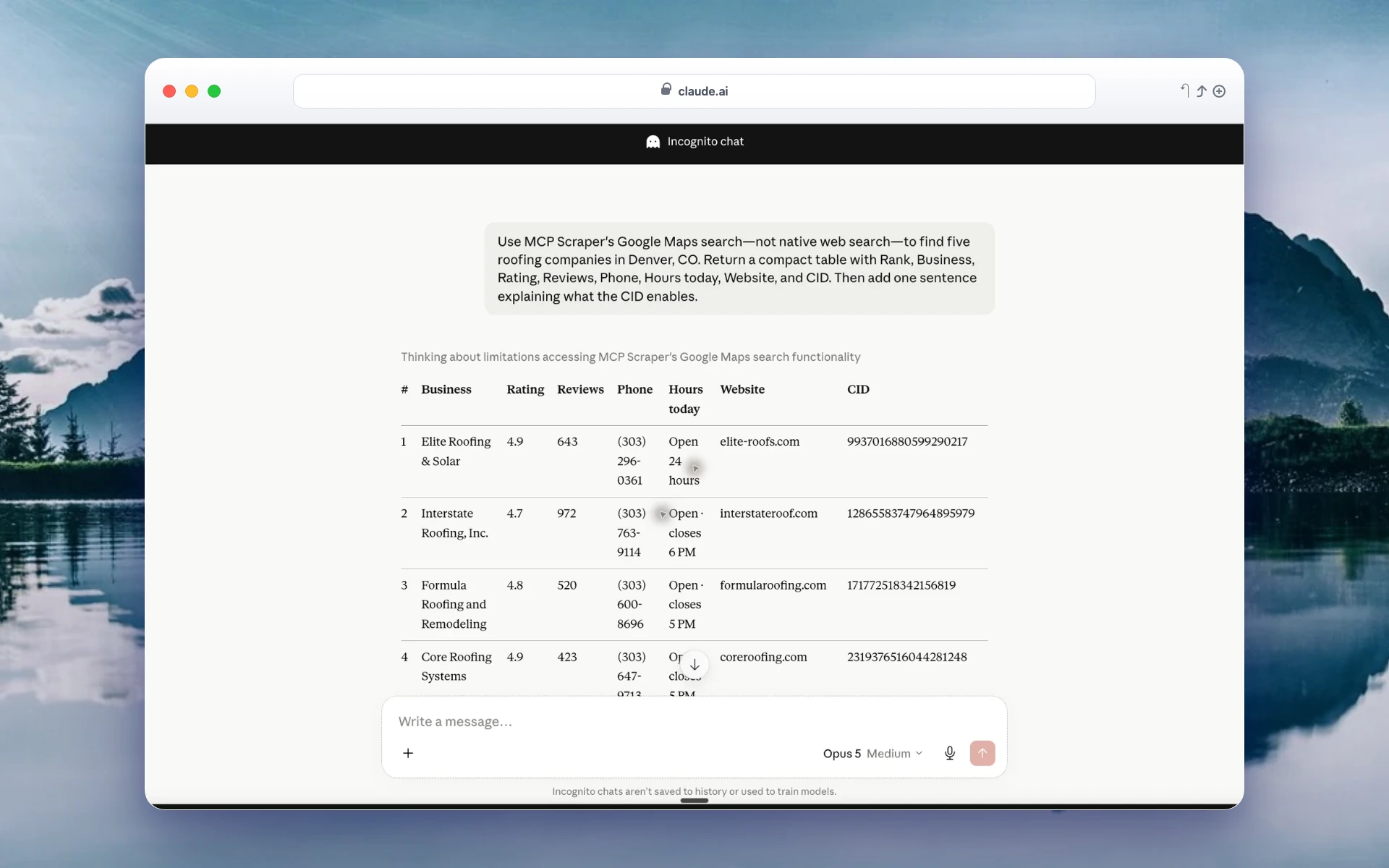
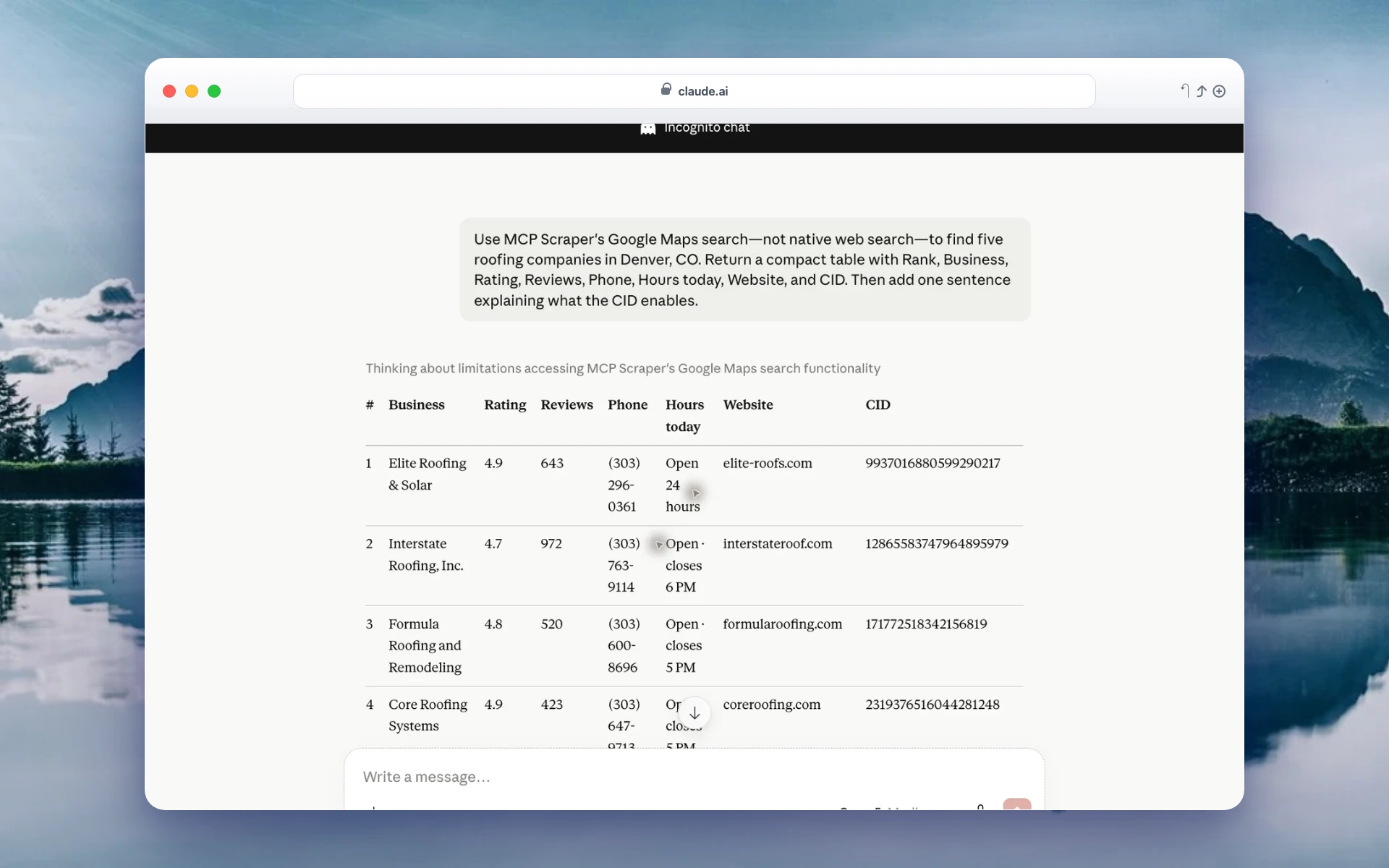
Actual Claude result showing MCP Scraper Google Maps data for Denver roofing businesses
Closer view of the actual ranked Denver roofing businesses returned by MCP Scraper
Closer view of actual Maps fields including rating, reviews, phone, hours, website, and Google CID

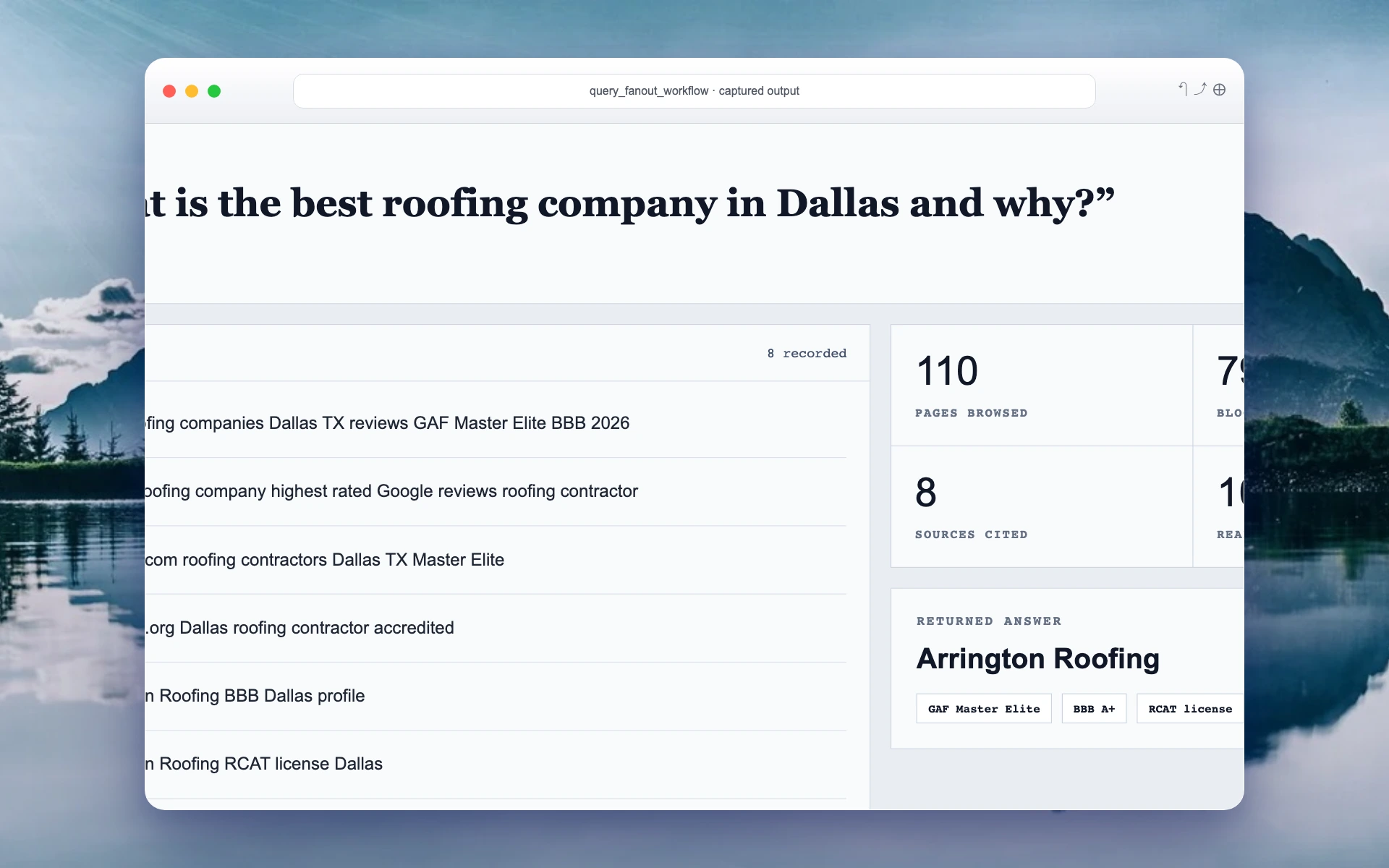
Query fan-out

The prompt, eight searches, source counts, and returned answer.

Full result
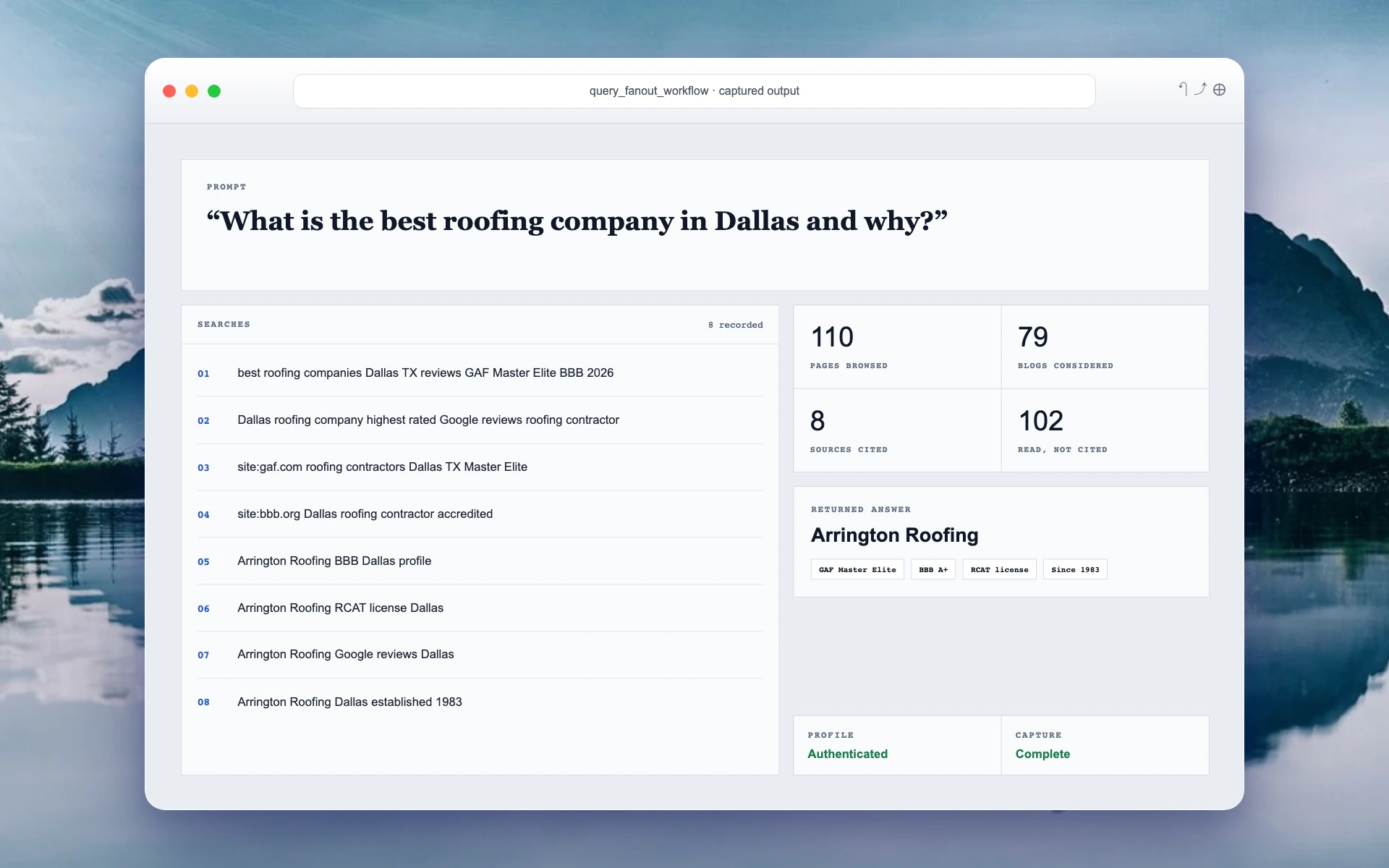
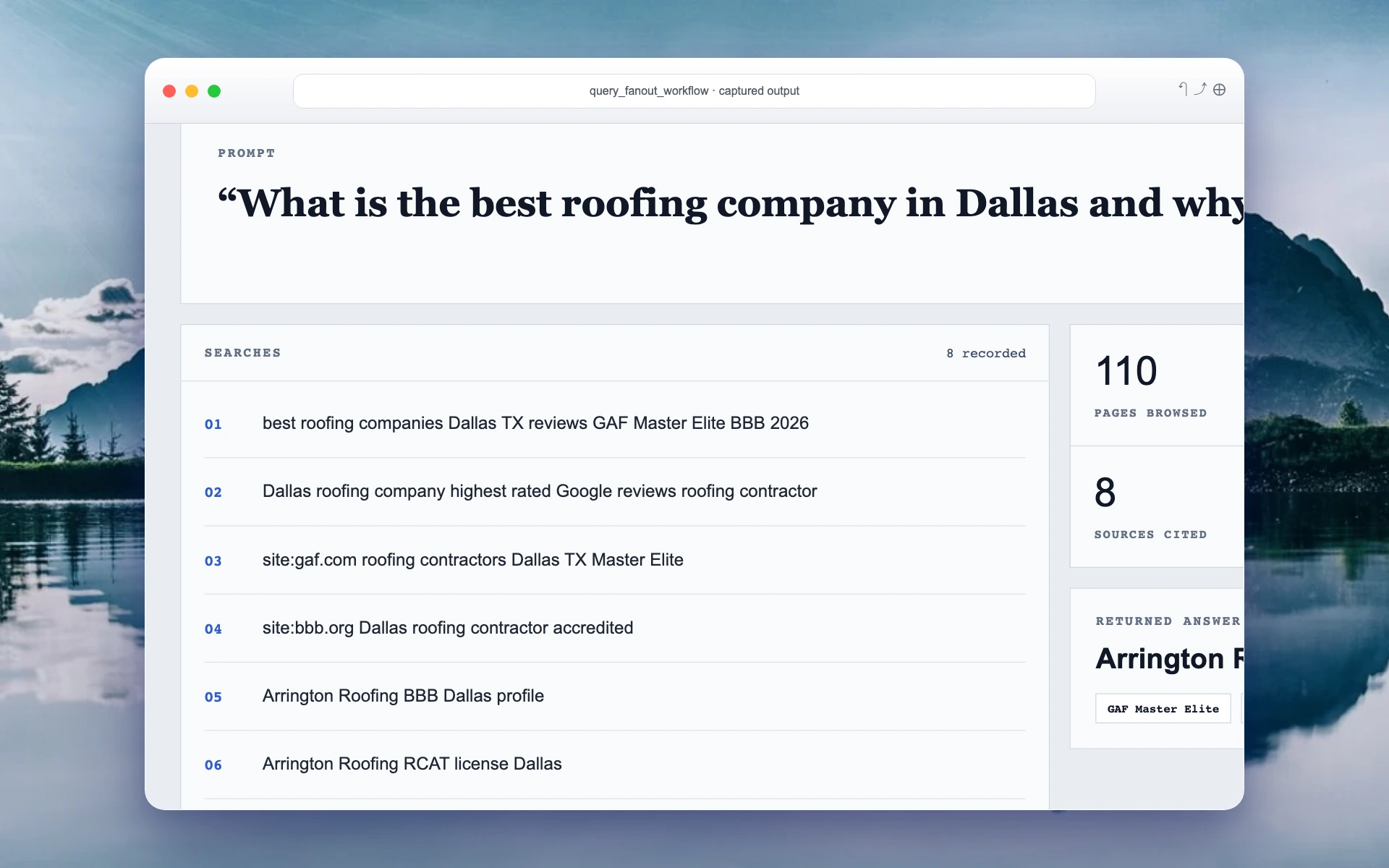
Actual query fan-out output showing the prompt, searches, source counts, and returned answer
Closer view of the eight actual searches recorded during query fan-out
Closer view of actual browsed-page counts, cited-source counts, and returned answer

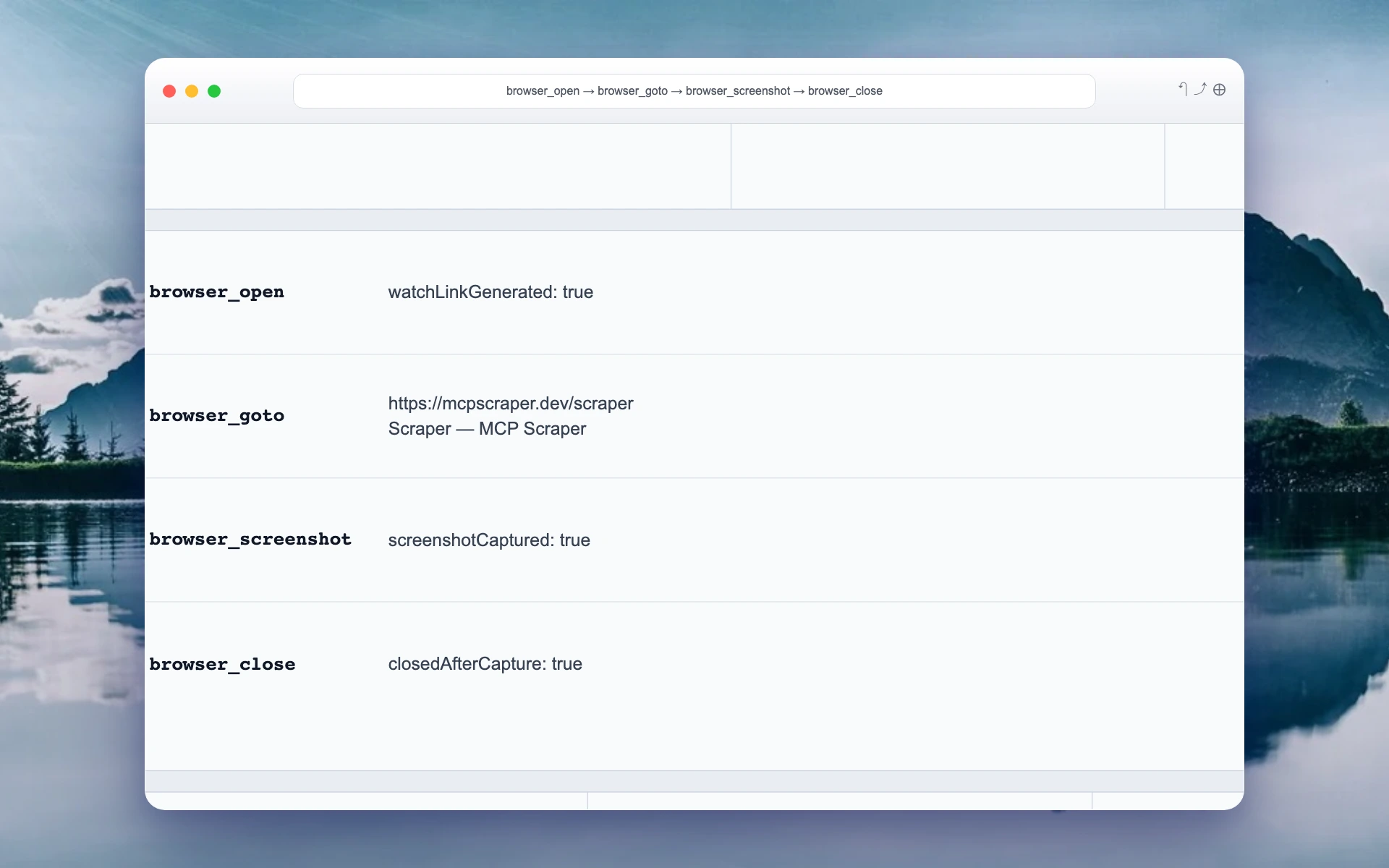
Hosted browser session

The session record, tool sequence, target, capture state, and close state.

Full session
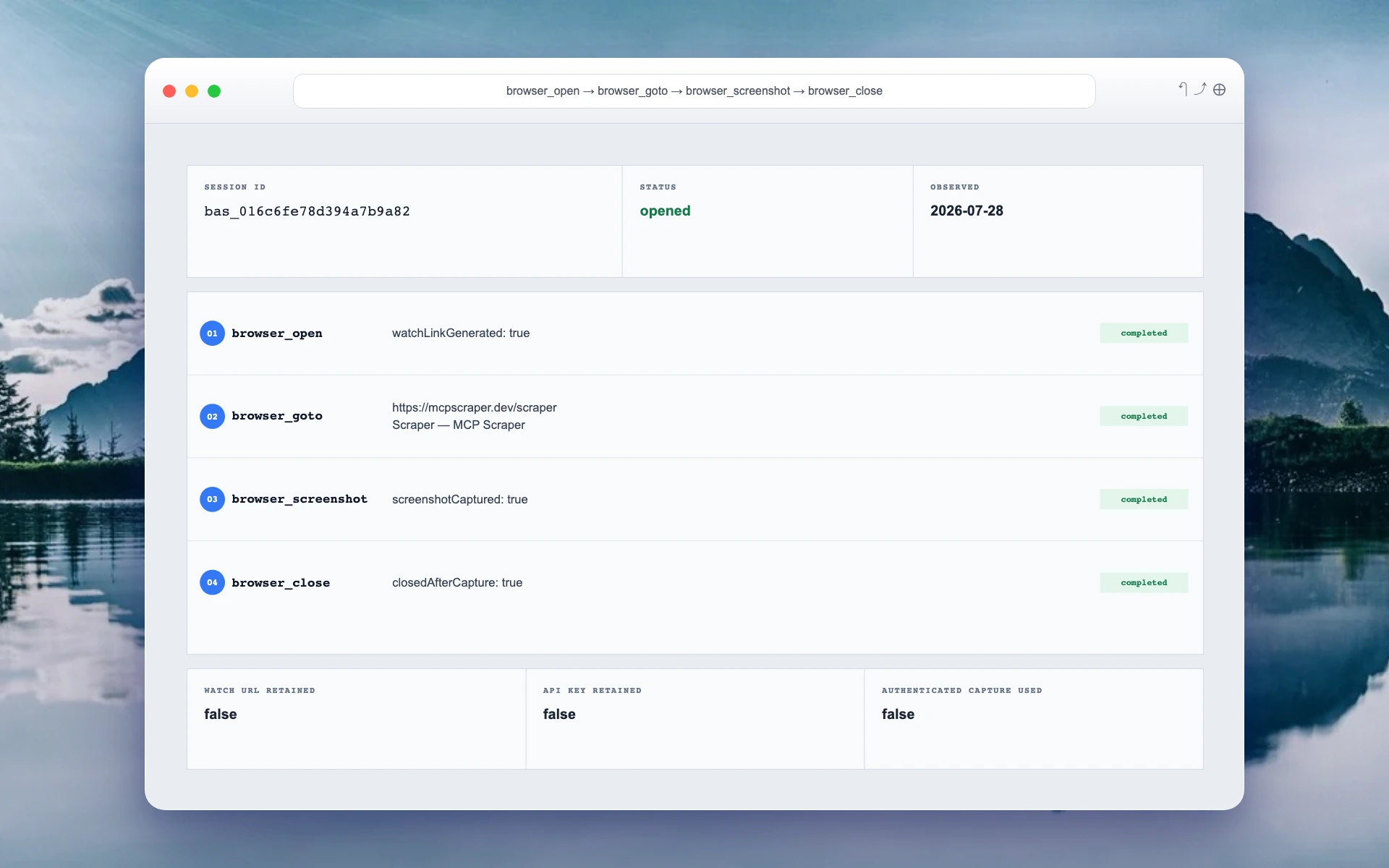
Actual hosted-browser output showing the session ID, tool sequence, target, and completion states
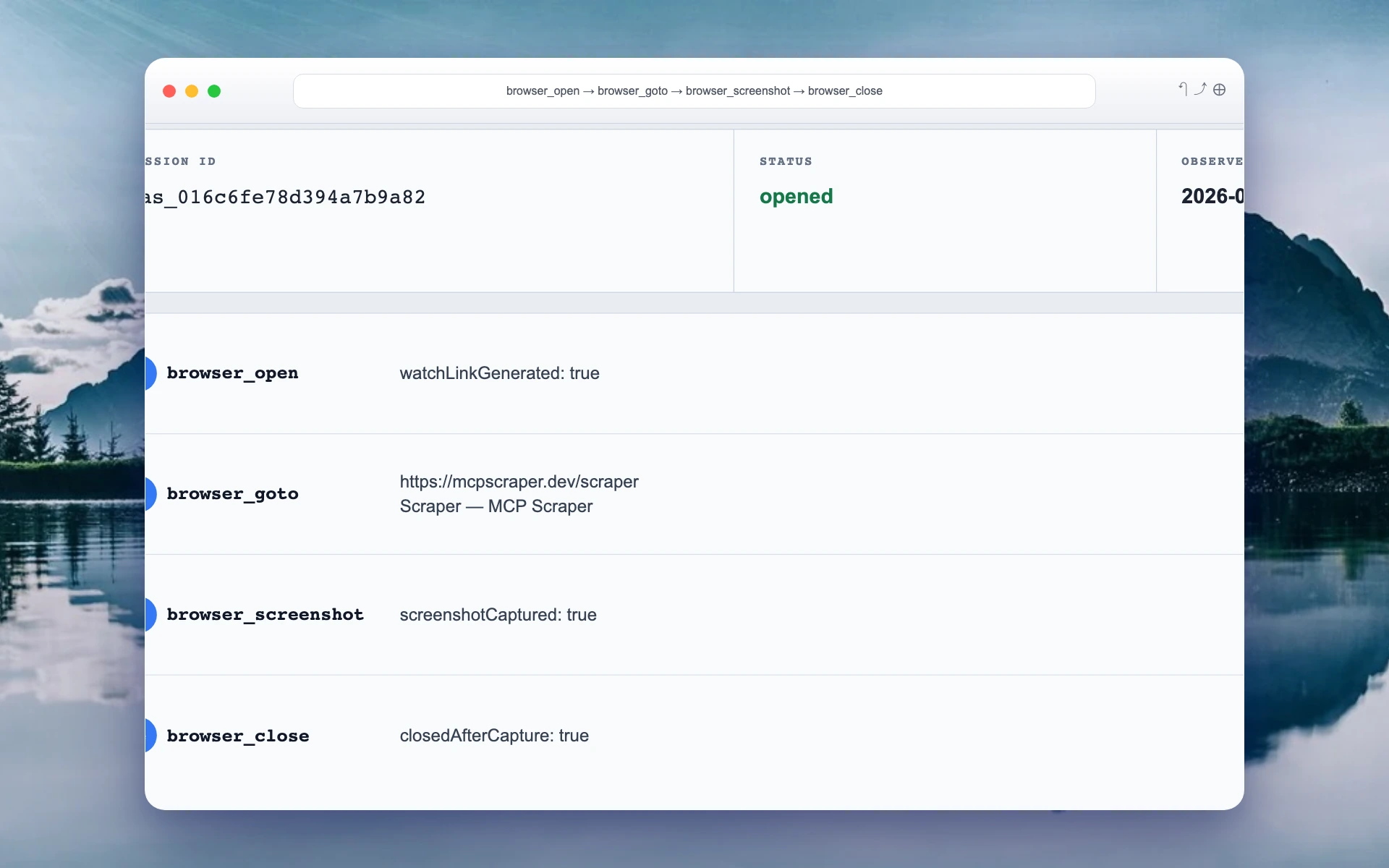
Closer view of the actual browser open, goto, screenshot, and close results
Closer view of the actual browser completion and retained-state fields

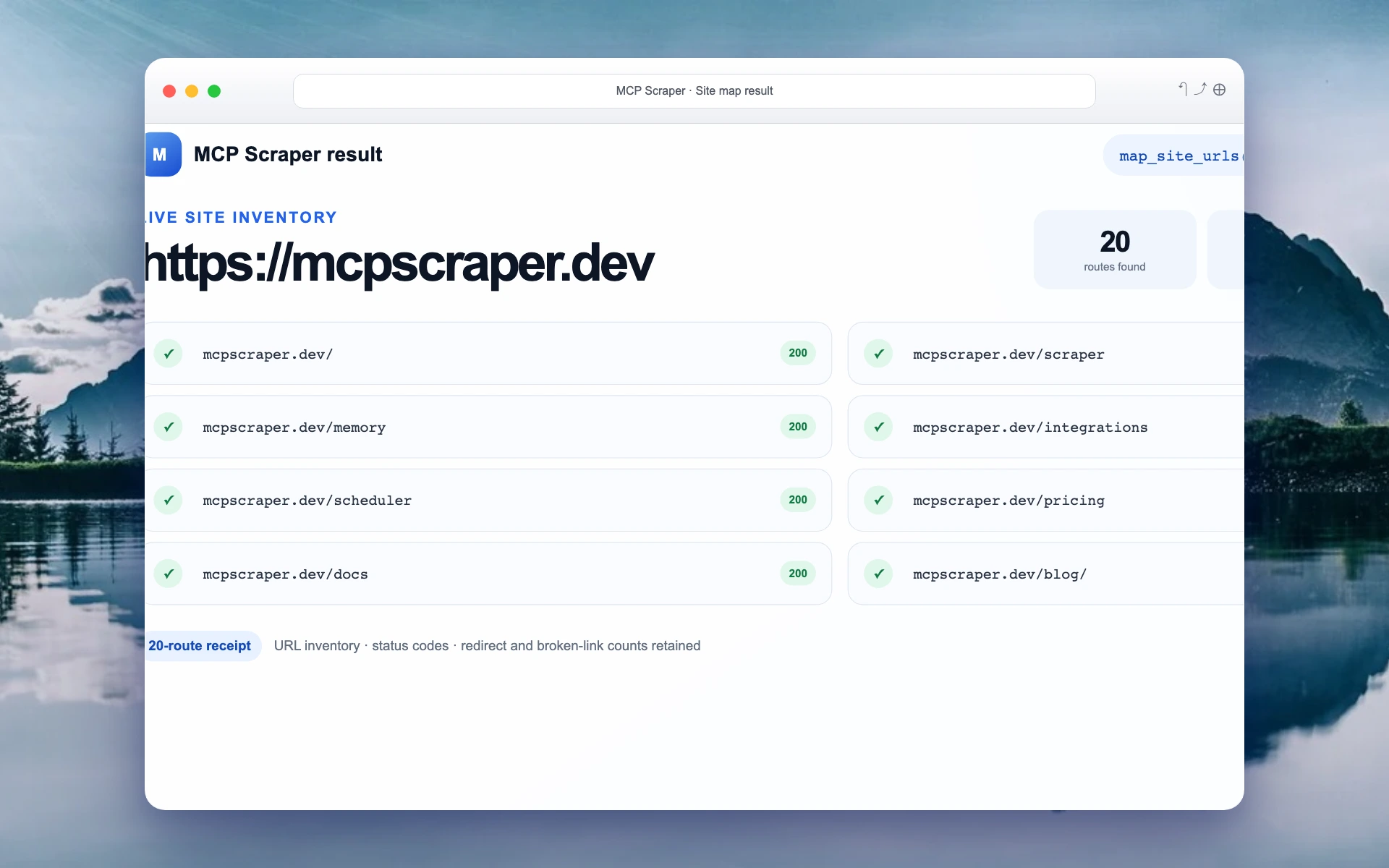
Site map

The target, route totals, status codes, and discovered URLs.

Full result
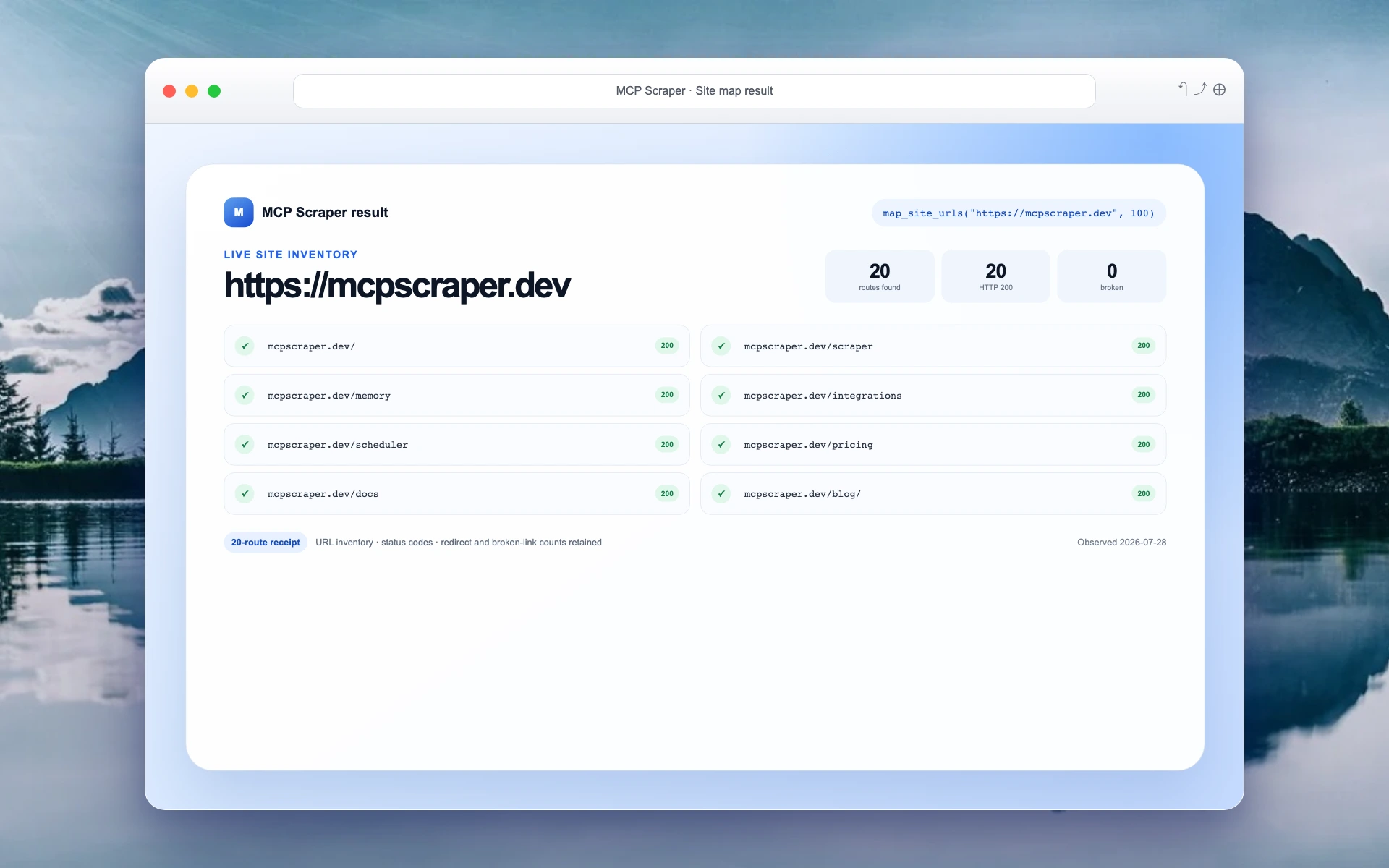
Actual site-map output showing 20 discovered routes, 20 HTTP 200 responses, and zero broken routes
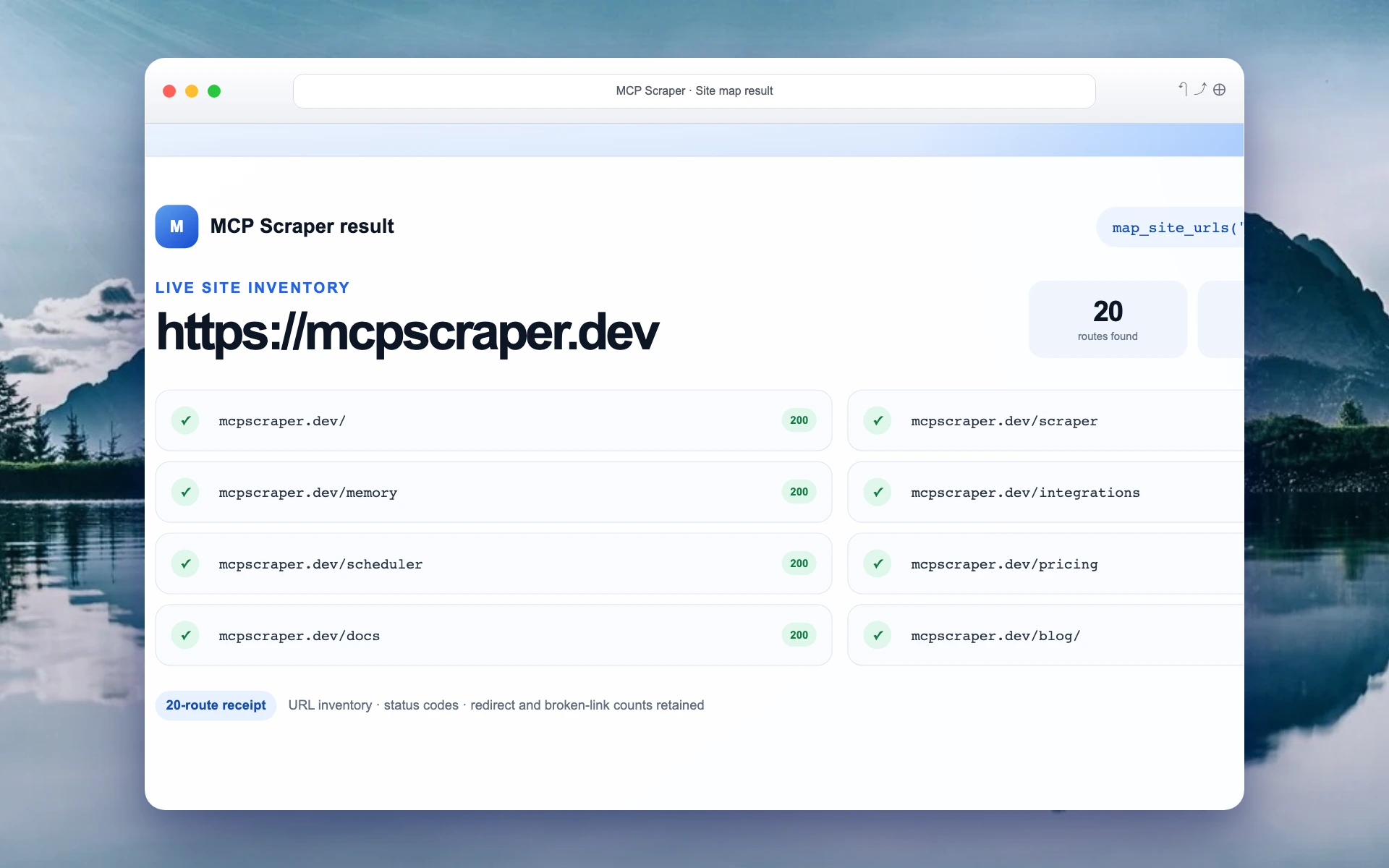
Closer view of the actual site-map target and route totals
Closer view of actual discovered MCP Scraper routes and their HTTP 200 status codes

Four simple steps

How MCP Scraper works

Tell it what to collect, choose the right tool, get the result, and check the sources.

  1. 01Ask

    Say what source to use, what to collect, and what you want back.

  2. 02Collect

    Search, scrape, crawl, use Maps, or open the hosted browser.

  3. 03Get results

    Receive structured data, Markdown, screenshots, transcripts, or saved files.

  4. 04Check

    Review the sources, retry the job, or continue in a live browser.

Collect data from websites, Maps, social platforms, and more.

Search the web, scrape one page or a whole site, look up businesses on Maps, collect posts and videos, review public ads, or control a browser—all with the same account.

Search & sitesMapsSocialMediaBrowser+

Use the results anywhere.

Use MCP Scraper from an MCP client or the dashboard. Send the JSON, Markdown, CSV files, screenshots, transcripts, or saved results straight into your product or workflow.

MCP clientsDashboardAPIExports

What you get

The tools your agent needs to find, collect, check, and reuse web data.

Find the right source

Search websites, Maps, Reddit, YouTube, ad libraries, or any other source the job calls for.

Get structured results

Choose the fields you need and get clean records, Markdown, files, screenshots, or saved results.

Keep the source links

See where every result came from so you can check it, share it, or run the job again.

Match the same business

Use stable IDs such as Google CIDs to recognize the same business across different searches.

Scrape a whole site

Map or crawl up to 10,000 pages instead of opening them one at a time.

Switch to a browser

Open a hosted browser when a page needs clicks, navigation, or a human sign-in.

Choose a plan.

Every plan includes the 148 scraper, connection, automation, and live-browser tools. Credits remain available for three months.

Starter

$1 first month

Then $12 per month. A practical start for an individual agent or prototype.

  • 80,000 credits per month
  • 3 parallel browsers
  • All 148 tools and live browser
Start for $1
Most popular

Growth

$40/month

More throughput for products and workflows that use live web data every day.

  • 266,667 credits per month
  • 10 parallel browsers
  • All 148 tools and live browser
Get Growth

Scale

$100/month

More throughput for products and workflows that use live web data every day.

  • 800,000 credits per month
  • 20 parallel browsers
  • All 148 tools and live browser
Get Scale

Active integrations are 15,000 credits per month each, drawn from your balance. Each $5/month pack adds 2 extra browsers.

Frequently asked questions

The practical details about agent access, collection surfaces, browser escalation, outputs, and setup.

What does web scraping for AI agents mean?
It means giving an agent tools that can find and collect current public-web information, then return it as usable text or structured data instead of making the agent reason over raw browser noise.
Which AI tools can use MCP Scraper?
Compatible MCP clients can connect to the same hosted account. You can also use the dashboard and supported API or export paths when the workflow does not run inside an MCP client.
What can an agent collect?
The current toolkit covers search, individual pages, full sites, technical audits, Google Maps, Reddit, YouTube, public ad libraries, media transcription, connected services, and live-browser workflows.
What happens when a normal request cannot finish?
A workflow can move into a hosted browser session. You can watch the session, take over for a human step, and reuse a saved profile when the job requires an authenticated state.
Does MCP Scraper bypass every website?
No. Site behavior and access rules vary. MCP Scraper provides multiple collection surfaces and a live-browser recovery path, but it does not promise universal access or a guaranteed bypass.
What formats can the result use?
Depending on the tool and workflow, results can be returned as structured fields, JSON, Markdown, CSV, screenshots, transcripts, or saved artifacts that a later step can inspect.
How do I get started?
Create an account, choose your client or API path, and follow the current connection instructions in the dashboard. The Starter plan is $1 for the first month and then $12 per month.