Key takeaways
- Choose competitors that could solve the same buyer problem.
- Capture comparable pages and attach a URL, date and source location to each finding.
- Separate what a competitor publishes from your interpretation and the test you plan to run.
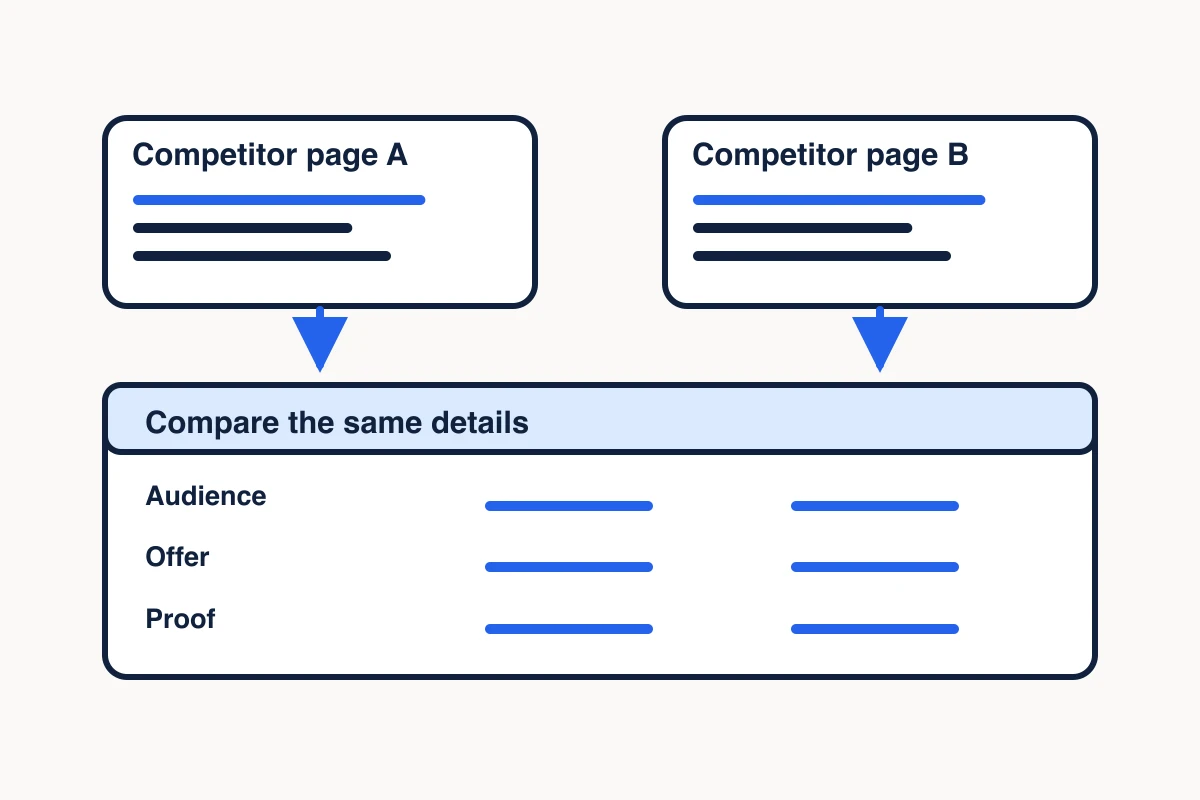
A competitor website analysis compares what buyers can see about competing offers. Pick one decision, collect comparable public pages, and record what each page says about the offer, features, pricing and proof. Then use the evidence to decide what to test in your own marketing.
If you’re preparing a landing-page brief, you might ask which competitors show buyers how to get started and what evidence they give buyers before asking them to sign up. For a paid campaign, compare the ad with its landing page to see whether the offer and proof carry through. The answer can help you decide whether your page needs a clearer example, a better explanation of the offer, or a different first step.
Choose competitors for one buyer decision
Start with the decision you need to make, then choose offers a buyer could reasonably compare. For example, if you’re deciding how to explain the first use of a web data API, pick products that let buyers evaluate a web extraction API. A managed data service can inform the research if buyers are also considering outsourcing collection. Give that service a separate row so its features, sales process and pricing stay attached to the right offer.
If you still need to define who is making that decision, use ideal customer profile research to check the buyer and the job before selecting competitors.
Start with a small comparison you can read closely. If the companies came from search results, use the listings to find possible sources, then open each company’s own pages to check that the offer fits your question. Choosing between search results and page extraction
If buyers choose among local branches for the same service, compare the verified Google Maps listings and a bounded review sample.
Pick comparable public pages
Match pages by what they help the buyer decide. A homepage can establish positioning. A product page explains what the offer does. A pricing page shows terms the company has made public. A case study gives you a specific example of the evidence the company puts in front of buyers.
| What you need to know | Where to look | What to capture |
|---|---|---|
| Who the offer speaks to | Homepage or primary product page | Audience language and the main promise |
| How buyers evaluate it | Product, demo or setup page | Feature names, first action and any prerequisites |
| What buyers can see about price | Public pricing or offer page | Currency, billing period, limits and terms for the specific offer |
| What supports the promise | Case study, proof section or documentation | Evidence type, scope and the exact claim it supports |
For a first pass, select one page per relevant buyer decision for each competitor. Use a second page when it resolves a specific question, such as whether a free trial belongs to the API or to a different product. End the capture when the selected fields support your decision or you can name what’s missing. A larger research job needs its own coverage check. How to check whether a website crawl is complete
Collect the page evidence with MCP Scraper
Give MCP Scraper the public URLs you chose and ask for evidence you can check against each page. In a compatible Model Context Protocol client, extract_url starts the single-page extraction. If the receipt is pending or running, use extract_url_status with the same job ID while the status is pending or running. Read the result when the status is done. If a completed result will not reopen, keep the original job ID, mark the affected fields unverified, and check the public source for any fields you need now. Record any later recapture separately. If the job fails or is cancelled, record the gap for that URL. Open the corresponding live page when a key value is absent or the capture appears to miss a table, interactive control or visual proof. MCP Scraper setup and single-page extraction
If you’re choosing how to collect the pages for this exercise, the Firecrawl vs Apify comparison gives you a way to test the same URL in both tools.
A prompt for a compatible client could read:
> For each listed public URL, use extract_url. If the job is pending or running, check the same job ID with extract_url_status. Read the completed result when the status is done. If it will not reopen, retain the job ID and mark the affected fields unverified. Log any later recapture as a separate observation. If the job fails or is cancelled, record the gap for that URL. Return one evidence row per finding with the offer name, URL, capture date, page section, field, short excerpt or paraphrase, and capture status. Collect the main promise, visible action, named capabilities, published pricing terms and proof type. Mark fields you couldn’t verify. Put interpretations in a separate column.
On November 8, 2026 UTC, we ran extract_url on the Firecrawl homepage and checked the completed result. This evidence row records the part of the capture that helps a marketer compare first-use offers.
| Evidence field | Recorded value |
|---|---|
| Source URL | https://www.firecrawl.dev/ |
| Capture date | November 8, 2026 UTC |
| Page section | Homepage hero |
| Promise shown | Give your AI agents web data and beyond |
| First action captured in the hero | Start for free |
| Capture state | Completed. Hero heading and action text returned. |
| Pricing terms | Unverified in this row. Check the pricing page for eligibility and limits. |
Inspect the November 8 Firecrawl capture summary for the recorded heading and action. Test the signup flow or read the current terms before making a claim about what buyers can use for free.
Keep the original source and the captured text together. For unavailable pages, record the gap and continue with the evidence you have. Check the site’s access rules before automating collection, keep requests bounded, and use the public pages that serve your research question.
Compare competitor offers and proof
The Firecrawl example is a homepage, and the Zyte API example is a product page. We read Firecrawl’s homepage, its separate customer stories page, and the Zyte API product page on November 7, 2026 UTC. Those page reads are separate from the November 8 MCP Scraper extraction. To check whether the difference holds across the two businesses, compare the same page type for both.
| Offer | Message and evaluation path | Proof displayed | Page evidence |
|---|---|---|---|
| Firecrawl | Presents a web data API for AI agents. The homepage names Search, Scrape, Map and Crawl and shows a free-start action. | A dedicated customer page groups examples around AI products and workflows. | Homepage · Customer page |
| Zyte API | Foregrounds access and extraction, including rendering and sessions. The product page offers a free trial. | The product page displays customer logos and a vendor-presented comparison. | API product page |
A useful note from the comparison is that Firecrawl leads with the use of web data in AI agents, while Zyte API leads with handling web access and extraction. Both pages offer an evaluation step. Record the types of proof they choose to show and follow the source if you want to assess an underlying claim. Keep any pricing comparison for a pass that captures the relevant pricing pages and terms for both offers.
Compare Linear and Jira billing qualifiers
Keep Linear’s per-user monthly rate tied to yearly billing. Set the same team size and billing cycle in Jira before comparing amounts. No matched seat scenario was configured in this example. Linear’s Basic pricing shows a per-user monthly rate billed yearly. Jira’s public calculator asks for team size and billing cycle. Record the plan, currency, seat count, price unit and billing cadence. Mark missing terms unknown.
On November 10, 2026 UTC, MCP Scraper returned pricing headings for both URLs. We could not reopen the full extraction files, so we checked the qualifiers on the public pricing pages. The table records those direct page observations. Reopen the source before quoting current terms in a client brief.
| Offer and locator | What the page showed | Comparison limit |
|---|---|---|
| Linear · Basic plan card | Per-user monthly rate billed yearly | Keep the billing cadence with the quoted rate |
| Jira · pricing calculator | Team size and billing cycle selectors | No matched seat scenario was configured |
Turn website evidence into a marketing brief
Write the decision in three lines so a teammate can see how the evidence led to the test.
- Observation. Firecrawl names several collection actions on its homepage. Zyte API describes access and extraction capabilities on its product page.
- Interpretation. A buyer might want to know both what the workflow returns and how the system gets to the source. The pages emphasize those questions differently.
- Proposed test. Add one sample input and output beside the first action on your own page. Ask a few target buyers to explain what they would receive and what they would click next. Record where they hesitate or misread the offer.
The test makes the analysis usable. A colleague can inspect the competitor pages, challenge the interpretation and run the proposed check without reconstructing your research.
Decide when to refresh competitor evidence
Refresh the pages when another decision depends on them, such as a positioning review, sales enablement update or pricing comparison. Keep the page URL, capture date, exact offer and original evidence alongside the new finding. If a page changes, retain both dated observations so the brief can show exactly what moved.
We captured the same MCP Scraper pricing page twice on November 10, 2026 UTC. Both examples showed 2,000 Credits for 100 one-page Light searches at the standard rate. The later capture added the backup calculation.
| Capture time (UTC) | What the pricing example showed |
|---|---|
| 02:24 | 2,000 Credits at the standard rate. The backup provider could change the charge. |
| 03:31 | 2,000 Credits at the standard rate. If the backup supplies all 100 pages, the example totals 3,500 Credits at 35 Credits per page. |
Both captures already listed the 35-Credit backup rate in the rate card. Update the brief to include the new calculation and keep its condition beside the total. The price example changed while the posted rate stayed the same.
In a local Memory Vault test, we saved the two passages as separate notes and reopened both in a fresh process. Each note retained its source URL, capture time and exact passage. For a hosted walkthrough, see the Memory Vault verification record.
If you’ll reuse a capture in a later research session, save the selected source in Memory Vault and verify that you can retrieve it. A dated source gives the next person enough context to decide when it needs a fresh check. See how to reopen a saved competitor source
Sources
- Homepage.https://www.firecrawl.dev/
- Customer page.https://www.firecrawl.dev/customers
- API product page.https://www.zyte.com/zyte-api/
- Linear pricing · Basic plan card.https://linear.app/pricing
- Jira pricing · team size and billing cycle calculator.https://www.atlassian.com/en/software/jira/pricing
Check one competitor claim before adding it to your brief
In the demo, select Formats to see the same Elite Roofing sample in HTML, JSON and Markdown. Then extract one public competitor page. Open the source and check one field your brief needs, such as the billing period beside a price. Record the URL and capture date. If you can’t find the wording on the source, mark the field unverified.
Open the page extraction demo