What to check before refreshing a page
- Compare complete reporting periods with the same filters.
- Read the search query and the page together before deciding what the page should answer.
- Give each proposed edit a source, a reason, and a measurement plan.
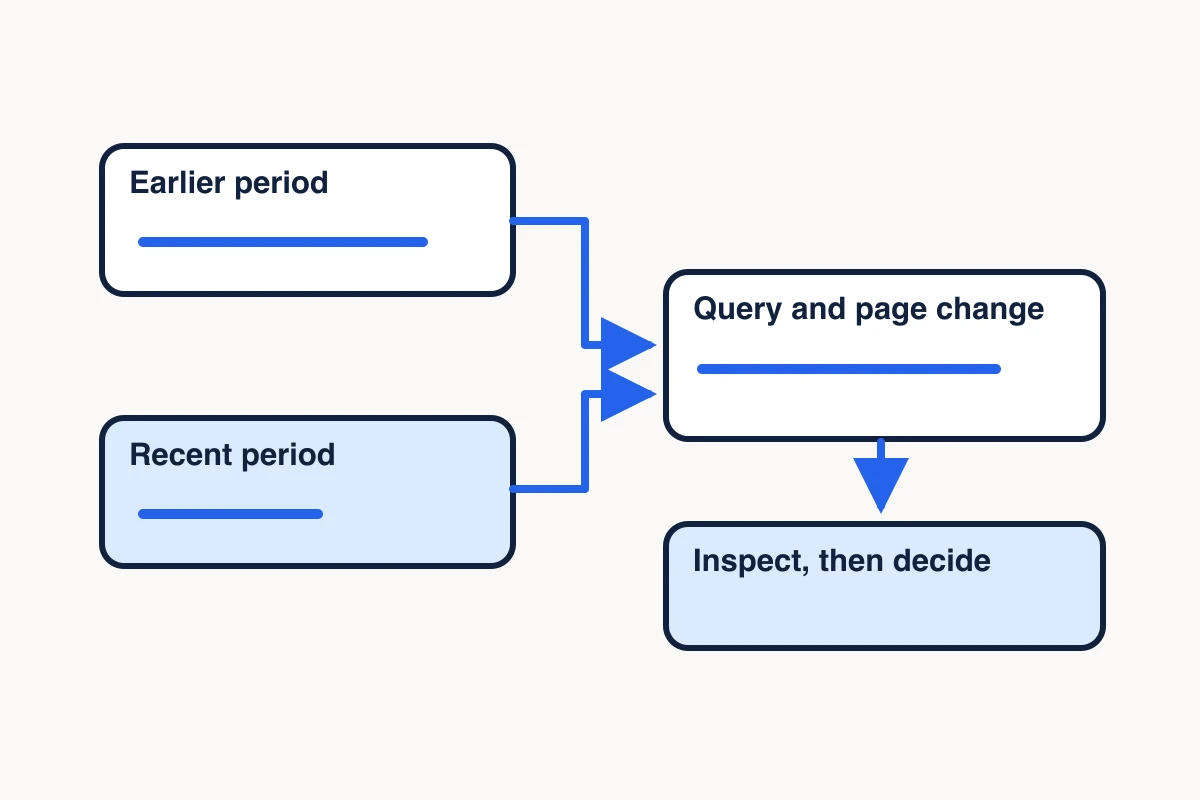
A page lost clicks last month. Before you rewrite it, check whether fewer people saw it, whether the queries changed, and whether the live page still answers the question those searchers came with. A traffic drop can point to stale content, a change in search demand, or a technical problem. Each calls for a different response.
Start with two comparable periods in Google Search Console. Then inspect the exact URLs behind the change and collect the public source material you need to check their claims. Use those observations to decide whether to refresh, consolidate, investigate, or keep each page. Google’s guide to diagnosing search traffic drops
Compare two complete Search Console periods
In Search Console’s Performance report for Search results, select Web and compare the last 28 complete days with the previous 28. Four full weeks on each side give you the same mix of weekdays. Use a comparable prior-year period if the topic is seasonal. Record the property, date ranges, search type, and any country or device filters so you can repeat the comparison. Search Console Performance report
Use the Performance report to decide which of your pages to update. If a Google result points to a page you don’t own and the page or its content has been removed, see Google’s Refresh Outdated Content tool.
Check whether recent data is still preliminary. If you’re using an export through a connected tool, request finalized data and check which dates actually returned. An export for a seven-day window can contain fewer than seven completed days. Keep property totals separate from page totals. Google can count an impression once for a property and separately for each distinct page shown. Search Analytics API reference
Find the queries and pages behind the change
Start in the Pages tab and shortlist URLs where the change matters to the business. Filter to an exact URL and inspect the Queries tab. Then reverse the check. Filter to the query and see which URLs received Search Console credit for it. Bring clicks, impressions, click-through rate, and average position into the same comparison. Click-through rate is clicks divided by impressions. Average position can shift when the mix of queries or devices changes. Search Console Performance report
For this example, we exported finalized Web data from the mcpscraper.dev Domain property for May 9–August 6 and August 7–November 4, 2026. Each 90-day request grouped results by page and query, used a 500-row limit, and applied no country, device, or query filters. Search Console returned 55 rows for the earlier period and 110 for the later one. The export was non-exhaustive. Returning fewer than 500 rows did not establish complete query coverage. We selected the exact query web scraping mcp from those returned rows. The chart compares reported impressions by page.
- May 9–August 6
- 26
- August 7–November 4
- 102
- May 9–August 6
- 18
- August 7–November 4
- 32
- May 9–August 6
- No row returned
- August 7–November 4
- 5
- May 9–August 6
- No row returned
- August 7–November 4
- No row returned
Source: Search Console for mcpscraper.dev. Bars share a zero baseline. An absent row means Search Console supplied no count for that page and query.
window_start,window_end,query,page_url,clicks,impressions
2026-05-09,2026-08-06,web scraping mcp,https://mcpscraper.dev/,0,26
2026-05-09,2026-08-06,web scraping mcp,https://mcpscraper.dev/scraper,0,18
2026-08-07,2026-11-04,web scraping mcp,https://mcpscraper.dev/,0,102
2026-08-07,2026-11-04,web scraping mcp,https://mcpscraper.dev/scraper,0,32
2026-08-07,2026-11-04,web scraping mcp,https://mcpscraper.dev/use-cases/web-scraping-for-ai-agents,0,5
All returned rows for this query recorded zero clicks. The homepage, Scraper product page, and web scraping workflow for AI agents received reported impressions for the phrase, and the dedicated setup page had no returned row. That gave us a specific question to check: was Google able to index the setup URL, and did each visible page serve a distinct reader need? Search Console can omit query rows, so an absent row gives you no measured count for that page and phrase. Google generally attributes performance to its selected canonical. The credited URL can differ from the URL shown in search. How Google attributes performance · Search Analytics API reference · MCP Scraper’s dedicated setup page
In a private property check on November 8, 2026, URL Inspection reported the setup page as indexed and showed that same URL as Google’s selected canonical. Its recorded November 7 crawl came after the chart’s reporting windows. Keep the separate setup page because it helps readers connect a client. Check the exact query and page again after a complete post-crawl reporting window. The inspection gives the indexed status at that check and supplies no impression count for the query.
Check the live page and current search results
The November 10 sample included the Firecrawl repository and a Bright Data client setup guide, alongside Import.io’s hosted MCP product page. Those pages show different next steps. Keep this public capture separate from the historical Search Console impressions. After a newer recorded crawl, recheck the setup page’s selected canonical and compare the same query and URL across two matched finalized windows. If a row is omitted, record its impressions as unknown.
Run URL Inspection on the exact page if impressions fell sharply, a new URL has no reported visibility, or Google appears to favor a different URL. Compare Google’s indexed view with the live URL when appropriate. Check which URL Google selected as canonical, whether the page is indexable, and whether your release history shows a redirect, title change, or major edit around the time the trend changed. A current live test answers a different question from the last recorded crawl. Google URL Inspection guide
If impressions fell across several pages for the same topic, check the affected queries in Google Trends for the same market and periods. A similar decline gives you a reason to investigate demand before rewriting. Keep the page-level diagnosis open until you check the indexed URL and current search results. Google’s guide to investigating search traffic drops
Once the URL checks are clear, inspect a current search result sample. Write down what readers can do on the leading pages. If they get a comparison, a tutorial, or a product page, see which format fits the query and your audience. Use MCP Scraper to extract only the selected public pages you need to read. Compare the headline, examples, source dates, and what the page helps a reader do. Check the source directly when an extraction appears incomplete. A current search sample can help you understand today’s results. Historical change requires a historical capture. How to choose between search and page extraction
When several queries point to the same reader task, map the queries to one intended page before choosing which page to refresh.
Choose whether to refresh, consolidate, investigate or keep
Keep the separate MCP setup use case. The November 8 inspection reported the setup page as indexed. That page helps readers connect a client, while the Scraper product page helps them choose a collection workflow. A November 10, 2026 MCP Scraper search for “web scraping mcp” returned ten desktop organic results from one page. None pointed to mcpscraper.dev. Location was unverified. The sample shows both setup and product evaluation, so it supplies no reason to consolidate the two pages. Inspect the dated search receipt
Choose the action that fits what you can verify. A page can still serve the right intent even when its performance changes.
| Action | Evidence that supports it | What goes in the brief |
|---|---|---|
| Refresh | The page serves the right reader, but a claim, example, screenshot, or step is stale or missing. | Keep the useful URL and name the sections and sources to change. |
| Consolidate | Two pages serve the same reader task and largely duplicate the answer. | Choose the destination, preserve unique material, and review redirects and internal links before changing routes. |
| Investigate | The preferred URL is missing from the index, the canonical changed, or the decline lines up with a wider event. | Assign the technical or measurement check before rewriting. |
| Keep | The page still answers the query and the evidence for an edit is weak. | Record why and set a follow-up date. |
For example, a page about choosing an MCP scraping server and a page about running a research workflow can both mention web scraping. Keep them distinct when one helps readers connect a client and the other helps them choose a collection method. A shared query gives you a reason to check their roles. Page overlap calls for consolidation when you can show they answer the same task.
Measure the refresh and keep the evidence
Before publishing a change, save the URL, affected query group, source links, exact edits, and publication time. Use a visible updated date when it reflects a substantial change, and keep it aligned with structured metadata. After Google has had time to process the change, compare the same filters across complete periods. Record concurrent releases or shifts in demand so the comparison remains useful when there are several plausible explanations. Google’s byline date guidance
Use Search Console to track search impressions and clicks. If your site records journeys in X-Ray, check your configured signup or lead event in a separate report with its own attribution settings. On MCP Scraper’s launch day, some measured sessions matched browser checks by the team. Document known test activity before treating a session count as audience response.
When the next review will need the same source pages, save the checked extracts with their original URLs and dates. You can keep the brief in your usual workspace or preserve the supporting extracts in Memory Vault for a later review. How to save scraped research in a Memory Vault
Sources
- Google’s guide to diagnosing search traffic drops.https://developers.google.com/search/docs/monitor-debug/debugging-search-traffic-drops
- Search Console Performance report.https://support.google.com/webmasters/answer/7576553
- Search Analytics API reference.https://developers.google.com/webmaster-tools/v1/searchanalytics/query
- Google URL Inspection guide.https://support.google.com/webmasters/answer/12482179
- Google’s byline date guidance.https://developers.google.com/search/docs/appearance/publication-dates
- Google’s Refresh Outdated Content tool.https://support.google.com/webmasters/answer/7041154