Key takeaways
- Compare results captured for the same market and device when you can. Record what the tool returned and any missing coverage.
- Group phrases when the same page can satisfy both searches. Compare the actual URLs and what those pages help people do.
- Assign an existing page, plan a new page, or hold the cluster for more evidence. Use Search Console later to check which URL received impressions.
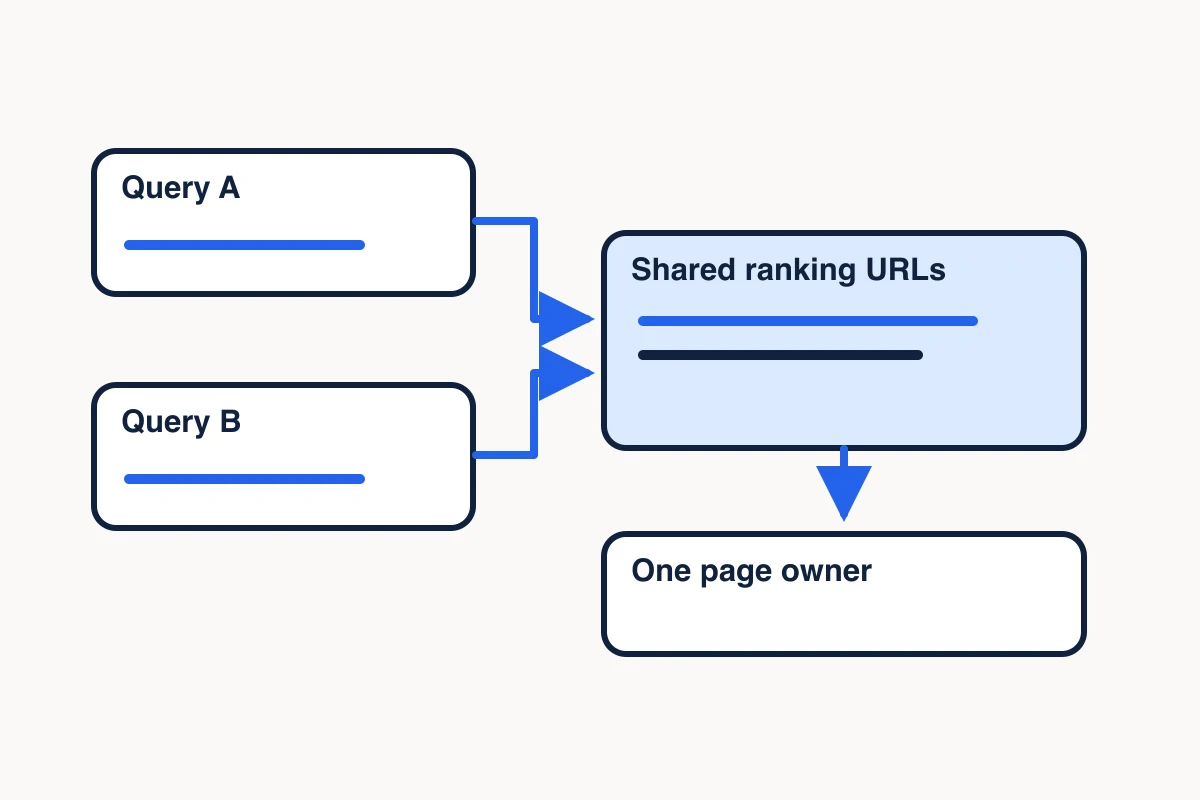
Start with the job behind the search. If two phrases lead people to the same kind of answer, group them and pick one page to answer both. If they point to different decisions, give each a separate destination. Search results help you see the difference before you commit a client to a new page.
MCP Scraper can collect a bounded set of Google results for the comparison. The outcome is a keyword map: one row per group of related searches, with the reader’s job, the page you want to answer it, and the evidence behind that choice.
Capture search results for a keyword cluster
Start with phrases a client could use for the same task. For a scraping company, “web scraping API” and “Google SERP API” look similar on a keyword list. The first might mean collecting content from websites. The second might mean collecting the search results themselves. Use the same location and device settings to capture both sets of Google search results before deciding whether the queries belong on the same page.
Use MCP Scraper’s Google SERP capture reference. Save the exact query, timestamp, requested country or location, device and result depth. Keep the returned organic positions, titles, URLs and snippets. If a tool exposes location evidence, record what it verified. Ordinary MCP Scraper search uses desktop results and a fixed default market. If your comparison needs a specific location or mobile results, use a capture route that supports those controls and record what the result confirms.
Check the returned coverage before counting rows. If a two-page request returns one page and a page-two error, label the sample as one returned page and save the error. Compare the available rows only when that smaller sample can still answer the question. For a close page decision, open the selected result URLs and inspect the page itself. The search-versus-extraction guide shows when the source page can answer a question the listing leaves open.
Compare result URLs and page types
A search engine results page, or SERP, gives you two clues about what a reader expects: which URLs appear and what those pages help the reader do. Record the organic listings separately from features such as AI Overviews and People Also Ask so a cited link inside a feature does not get counted as another organic listing.
If you keep the question rows, group them by the decision a reader needs to make before assigning them to a page.
Count the exact destination URLs shared by the two samples. Keep the denominator for both sets. Then classify the pages you inspected. A product page helps a reader evaluate a tool. Documentation helps them implement it. A tutorial helps them complete a task. A comparison helps them choose. If the same domain appears for both phrases, check whether it uses the same URL. One vendor can serve several decisions on different pages.
Group phrases when shared URLs and the recurring page type point to the same job. If the results are mixed, write down both plausible jobs and hold the assignment until the distinction matters. For a tight call, repeat the captures under matched conditions and inspect the pages that would change your decision. A single SERP shows what appeared in that capture. Search volume, ranking history and a competitor keyword gap require their own data.
In a worked example of grouping two tool-selection questions, two captures returned nine and ten organic URLs. Seven of the twelve distinct URLs appeared in both, including the same four URLs at the top. Both result sets supported the same tool-selection job, so the AI research workflow answer stayed with the existing buying guide. The search market was unverified, so the broader phrases stayed unassigned.
Assign each keyword cluster to one page
Choose the URL that can answer the reader’s job in the right format. Start with the site’s existing pages. An established product page may need a stronger use-case section. A guide may already answer the practical question. Create a page when the job is distinct and the team has enough evidence to deliver the answer. Hold the cluster when its purpose or the product proof is still unclear.
On November 10, 2026 UTC, two MCP Scraper light captures returned 10 organic rows for “web scraping API” and nine for “Google SERP API,” with zero exact URLs in common. Both captured the first desktop results page under the default search settings. The market was unconfirmed. Open the 19 captured organic rows (CSV), group the rows by query, and compare the organic URL column. The blank market field means the capture did not verify a location. Treat the overlap as one observation, then open representative result pages to see what job they serve.
| Keyword | Reader’s job | Capture evidence | Page decision |
|---|---|---|---|
| Web scraping API | Evaluate a tool that collects content from websites | 10 organic rows · example: ScrapingBee’s web scraping API | Keep the existing Scraper page for buyers evaluating extraction from a known website. |
| Google SERP API | Work with structured Google search results | 9 organic rows · example: DataForSEO’s Google SERP API | Use the Google SERP API page to evaluate sample output and coverage. Use Docs to implement the API. |
On the Scraper page, open the extraction demo and select Formats to inspect a sample page’s HTML, JSON and Markdown. On the Google SERP API page, open the recorded captures. Complete search shows the results for “roof repair denver.” Select Partial snapshot to see the results for “public libraries seattle” and how the demo reports an unavailable second page. Neither capture verified the search location. These examples show what each destination lets you verify. The table uses the dated organic rows and the job a representative result serves.
An owner is the page you choose to serve the cluster. Supporting pages can link to that owner when the reader needs the next step. The choice records your plan for the site.
Check which URL received Search Console credit
After publishing or updating a page, use Google Search Console to see which URL received impressions for the cluster on a property you can access. Use a dated window and a consistent search type and country filter. Read query and page together. If another URL appears, compare what that page answers with the intended owner before deciding whether to revise either page.
If both URLs keep receiving impressions for the same query across complete reporting windows, open both and compare the reader’s job. If the jobs differ, keep both pages and make each purpose clearer in the copy and internal links. If the jobs match, select one owner and assess whether to combine overlapping content. Treat one unexpected URL as a reason to investigate.
A returned row shows which URL received credit for the query in that window. Search Console usually assigns performance to Google’s selected canonical, so the row may differ from the URL shown in search. A missing row leaves visibility unknown within the available data. The Search Analytics API can omit rows, and early reporting can be incomplete. Record the intended owner, reported page URL, window and data state separately. How Search Console assigns performance to URLs · Google Search Analytics documentation
Keep an evidence trail for the keyword map
Record each cluster in a row your next teammate can review. Include the primary phrase, variants, reader job, intended URL, action, capture date, requested and confirmed market, device, requested and captured page counts, returned organic rows and source links. When available, add search volume from its own provider and reported page URLs from Search Console with their date ranges. If a figure is unavailable, leave it blank.
keyword_cluster,variants,reader_job,intended_url,action,capture_date,requested_market,confirmed_market,device,pages_requested,pages_captured,organic_rows_returned,source_urlKeep Search Console observations on a separate sheet so they cannot overwrite the intended URL. Use one row per query, page and reporting window. If an export omits a query you checked, record the missing row and leave the observed URL and impressions blank.
keyword_cluster,query,observed_url,window_start,window_end,search_type,country,data_state,row_status,impressionsKeep the result capture and decision together so you can check why an owner was chosen after the results change. A spreadsheet is enough to start. If your team already uses MCP Scraper’s Memory Vault, you can intentionally save selected research for a later session and verify that the relevant source can be retrieved. Save scraped research in Memory Vault
Sources
- Google Search Analytics documentation.https://developers.google.com/webmaster-tools/v1/searchanalytics/query
- Ahrefs keyword mapping guide.https://ahrefs.com/blog/keyword-mapping/
- Semrush SERP analysis workflow.https://www.semrush.com/mcp/prompt-library/skills/serp-analysis?view=skills