Key takeaways
- Compare organic rankings from the same market, date, and scope.
- Check your page inventory and Search Console before labeling a keyword a gap.
- Inspect the organic results to see which page types fit the query.
- Give each relevant keyword cluster one page owner and one next action.
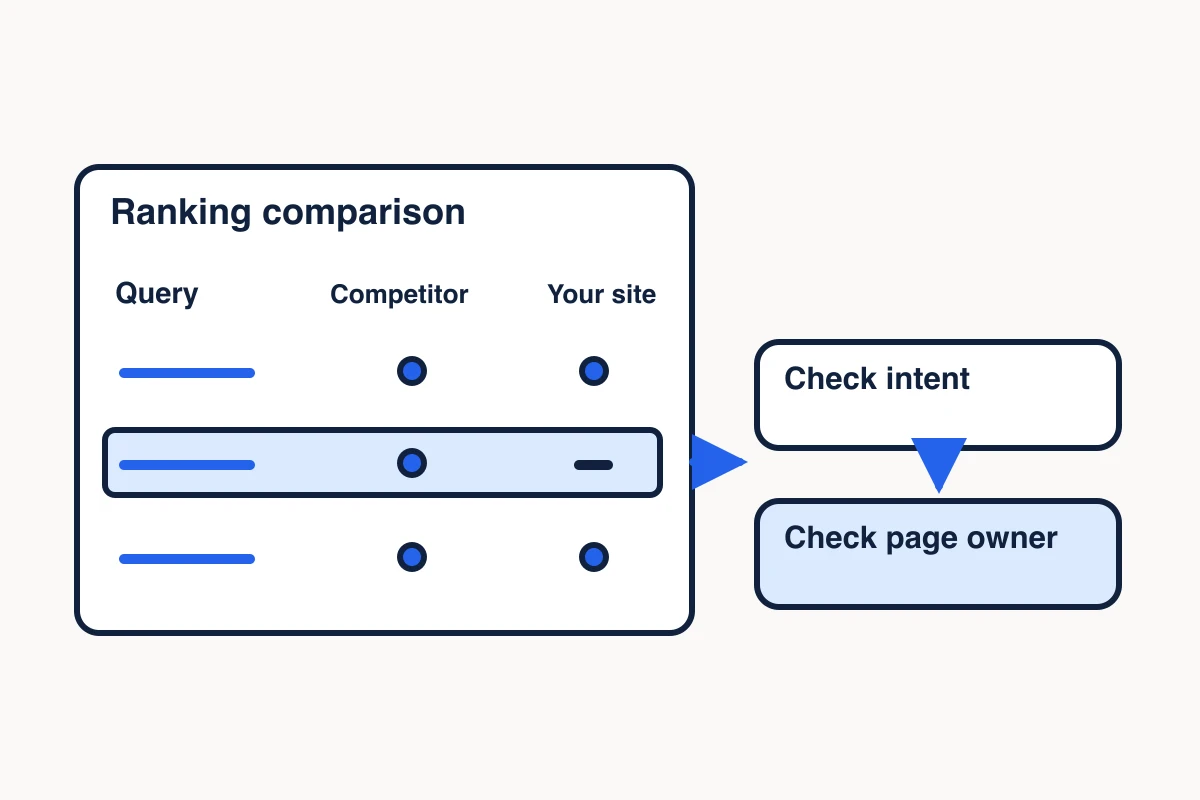
A competitor keyword gap analysis compares the search terms competitors appear for with the terms your site covers or appears for. The useful output is a list of page decisions. Use overlapping search results and intent to map keyword clusters to pages. Each promising keyword should lead to an existing page to improve, a new page to brief, or a reason to wait.
Start with an organic ranking export from Ahrefs, Semrush, or another provider. Use MCP Scraper to check what Google shows for selected phrases, then open only the pages that help explain why those results satisfy the query.
Compare rankings in the same market
Start with two or three competitors that appear for topics you want to win. A sales competitor can be a good starting point. A publisher, marketplace, or documentation site may also compete with you in search even if it sells something different. Keep those roles visible so an adjacent site’s keyword list does not become your entire content plan.
Use the same ranking provider, country, snapshot date, search channel, and scope for your site and each competitor. If your provider offers device or location filters, record those settings. Compare domain to domain for a broad inventory, or a comparable section to a comparable section if the project is narrow. A full competitor domain beside your single product URL can make ordinary differences in site scope look like opportunities. Ahrefs documents domain and exact URL modes, and Semrush allows you to select the keyword channel for each domain. Ahrefs Content Gap help · Semrush Keyword Gap help
Keep the exact query, competitor, reported position, ranking URL, capture date and scope in each row. Save the export filters and row limit. Two competitors appearing for the same phrase can make it worth checking early. A single competitor can still surface an important topic if its page serves a buyer you can help.
Check which page already owns the query
Join the competitor rows to your page inventory and your own ranking or Search Console data. A page inventory is a list of URLs with the job each page is meant to serve. Search Console can show which of your pages received impressions for a query in the selected period. Average position in that report measures performance across impressions, so keep it in a separate column from a provider snapshot or a single Google result capture. Google Search Console Performance report
Distinguish three cases before creating any brief:
| What you found | What to record |
|---|---|
| A relevant page already serves the query | Its URL and the specific part of the reader’s task the page could serve better. |
| An unrelated or secondary page appears | The observed URL and the intended owner. Review the content and result intent before moving anything. |
| No row appears in the selected data | Mark the result as unobserved in that export or window. Check whether the site already has a page that covers the job. |
Keep the observed ranking URL and the proposed owner in different columns. The first describes what you saw. The second records your editorial decision. If there are two plausible owners, compare their purpose and supporting evidence before approving a new URL.
Check what the ranking pages help readers do
Choose a small set of promising phrases from the ranking export and run each exact query in MCP Scraper. Read the query and capture details returned by the tool. Keep the captured result count, date, and any location or device context actually established. If a response reports partial results, record the missing scope before drawing conclusions. The documented Google SERP capture is a check of the returned results for a query. The competitor ranking export remains the source for the historical ranking comparison. Google SERP capture example
Classify the organic URLs by the job they help readers do. A product page helps someone evaluate an offer. A comparison helps them choose among options. A tutorial helps them finish a task. Open a few representative pages to confirm their purpose, because a title or snippet can be misleading. Exclude ads and answer modules from your count of organic page types. If two phrases return similar URLs and those pages solve the same job, start with one page owner. If the results differ, inspect what readers are trying to accomplish before splitting the cluster. Search results vs page extraction
Which page should own “web scraping API”?
In our November 6, 2026 U.S. Ahrefs snapshot, the query web scraping api appeared in exports for three competitor domains. The Firecrawl homepage was at position 1, an Apify Academy guide at 8, and a Bright Data comparison at 10. Those three different page types gave us a reason to check what the broader results showed before assigning an owner. Firecrawl homepage · Apify Academy guide · Bright Data comparison
A separate November 7, 2026 Ahrefs request asked for U.S. organic positions 1–10 for “web scraping api.” Six of the seven returned rows were vendor homepages or a service page. We grouped those six together because they help a buyer evaluate a service. The Apify Academy tutorial helps a reader implement scraping and counts separately.
| Positions | Returned page types |
|---|---|
| 2, 3, 4, 7, 10 | Homepages for ScrapingBee, ScraperAPI, Firecrawl, Scrapfly and WebScrapingAPI |
| 5 | Decodo web scraping service page |
| 6 | Apify Academy API scraping tutorial |
| 1, 8, 9 | No rows returned. Excluded from the count. |
The table summarizes our November 7 Ahrefs export. The original rows are not linked here. To run a fresh check, use the Google SERP capture example below and record its date and market. A November 8 U.S. volume check estimated 2,500 monthly searches in Ahrefs and 1,900 in Google Ads via DataForSEO. Keep those estimates separate. They made the phrase worth evaluating. The page roles in the organic sample, together with the job our existing Scraper page already serves, supported improving that page.
In this example, the existing Scraper page was the proposed page for “web scraping API.” The phrase remains research only. To evaluate the workflow, extract one public URL and check the returned passage and its source link before trying a larger job. The linked search-to-source guide shows a recorded run. Technical setup stays in Docs. Scraper product page · API reference · Recorded same-URL extraction example
A separate MCP Scraper search for web scraping API MCP server alternatives returned ten organic results, including comparison articles from Fastcrw and Scrapfly near the top. That capture was for the longer query and had no verified market label. Use the longer query to inspect comparison pages. Its results came from a different query and provider. Fastcrw comparison · Scrapfly comparison
To run a fresh intent check, open the Google SERP capture example. This example uses the REST capture. Replace its Seattle query with “web scraping api,” keep gl set to us, remove the Seattle location and set pages to 1. Keep the requested settings separate from the returned location evidence. If the capture does not verify the market, mark it unverified. Open the returned organic URLs, label the page types and count only returned rows. Keep this result separate from the November Ahrefs snapshots.
Give each keyword cluster one next action
Choose an action once the cluster has a supported buyer job and a plausible page owner. Retain the existing page when it already answers the buyer’s question and the checks show no specific improvement to make. Record why it still owns the cluster and what evidence would reopen the decision. Expand an existing page when it already serves the same intent and lacks a useful detail, example, or proof. Create a page when the results and your offer support a distinct job with no suitable owner. Hold when the intent, evidence, or offer fit needs more work. If you’re unsure which accounts the offer fits, check your ICP assumptions against first-party evidence before assigning the cluster. Set aside a keyword when it serves an audience or need the business cannot help.
Prioritize the keyword gaps that fit your offer and have a plausible page owner. Search volume estimates demand in a market. Keyword difficulty is a tool’s estimate of how hard it may be to rank. Compare both estimates from the same tool and market, then read the pages that rank. If a specific query has modest demand and your existing page already serves the same buyer decision, expand that page first. Hold a higher-volume query if the results favor a different page type or you cannot provide the proof buyers expect. Record missing metrics as unknown.
Finish the row with the evidence, proposed owner, action, and the next concrete change. For the example above, that row would keep web scraping api with Scraper and connect implementation questions to Docs. When the team will revisit the decision, save the selected queries, links, dates, and caveats together so the next review starts with the evidence behind the recommendation. Save scraped research in a Memory Vault
Query: web scraping api
Ranking evidence: Nov 6, 2026 U.S. Ahrefs export, three observed competitor rows
Intent check: Nov 7, 2026 U.S. Ahrefs sample returned positions 2–7 and 10. Six of seven returned rows helped buyers evaluate a vendor.
Nov 6 observed ranking URLs: firecrawl.dev/ (1), docs.apify.com/academy/api-scraping (8), brightdata.com/blog/web-data/best-web-scraping-apis (10)
Demand estimates: Nov 8, 2026 U.S. monthly. Ahrefs 2,500. Google Ads via DataForSEO 1,900.
Proposed owner at the time: https://mcpscraper.dev/scraper
Action selected: Expand the existing page with public-URL extraction and route technical implementation to Docs
Limits: No current ranking for our site established. The separate MCP search used a longer query with no verified market label.
After the updated page has had time to be crawled, compare the same query across two complete Search Console periods of equal length. Keep the intended owner in your decision record and log which URLs actually received impressions. If the export omits the query, leave the result unknown and keep the decision open for review.
Sources
- Ahrefs Content Gap help.https://help.ahrefs.com/en/articles/9025740-how-to-use-content-gap-to-find-keyword-ideas-from-competitor-websites
- Semrush Keyword Gap help.https://www.semrush.com/kb/28-keyword-gap
- Google Search Console Performance report.https://support.google.com/webmasters/answer/7576553?hl=en
- Firecrawl homepage.https://www.firecrawl.dev/
- Apify Academy guide.https://docs.apify.com/academy/api-scraping
- Bright Data comparison.https://brightdata.com/blog/web-data/best-web-scraping-apis
- Fastcrw comparison.https://fastcrw.com/blog/best-mcp-servers-web-scraping
- Scrapfly comparison.https://scrapfly.io/blog/posts/best-mcp-servers-for-web-scraping
Check what a Google search capture returned
Inspect two recorded captures. Check how many pages arrived and which organic results came back before using the rows to validate a keyword gap.
Inspect the Google Search captures