Technical SEO crawl takeaways
- Start with a list of priority pages and the status, canonical URL, and discovery path you expect for each.
- Reconcile the crawl’s coverage before treating a missing record as a missing page.
- Verify findings against the live response and, where it matters, Google’s own URL Inspection result.
- Assign confirmed issues with exact URLs and a test a developer or marketer can rerun.
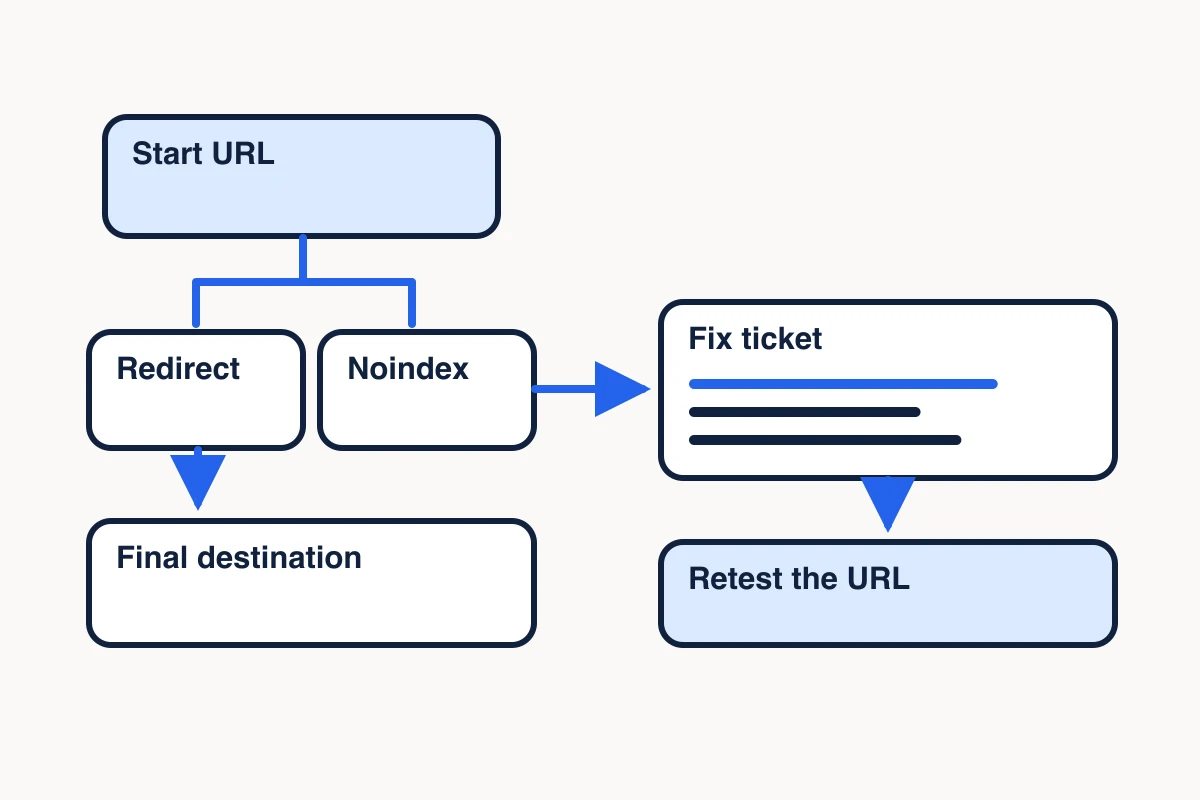
A technical SEO crawl helps you find pages that respond incorrectly, signal the wrong preferred URL, or lack a link from the rest of the site. To turn those observations into work a developer can pick up, start with the pages you want in search, verify the most consequential findings directly, and write down how you’ll know each fix worked.
For an agency audit, that might mean checking a client’s service pages after a redesign. For an in-house team, it might mean testing a new product section before sending more people to it. The workflow is the same: record the intended URL, compare it with what the crawl returned, and confirm the discrepancy on the live page.
Define the URLs your SEO crawl needs to cover
Start with a list of URLs you expect to appear in search. Include the pages that matter to the current job, such as service pages, product pages, and campaign guides. Record their intended canonical URL, meaning the URL you want treated as the primary version when several addresses show the same or similar content.
Save the URLs from your XML sitemap and compare them with the pages a crawl finds through internal links. Each list answers a different question. Your intended list records the business decision. The sitemap tells Google which URLs you’re suggesting. Internal links show how visitors and crawlers can reach pages from other pages. A priority page can be in the sitemap even when your selected starting pages offer no path to it. Google’s sitemap guidance
Start small enough to inspect the findings. A redesign of one service section gives you a useful first scope: its hub, child pages, and a few pages that should link into it. Record the host, starting URLs, allowed paths and date so you can reproduce the run after a release.
Run a bounded technical crawl with MCP Scraper
In a connected client that exposes MCP Scraper’s audit_site tool, submit the site URL and choose the audit options your client supports. Set a page ceiling appropriate to the scope. Keep the job ID and read its status with check_site_export. When the job returns an export, record its status and read the report and any relevant failure records. MCP Scraper tools
For a practice run on a site you own or have permission to audit, replace the URL and key with your target and a fresh UUID. If the response is lost, reuse the key only for the same request. A page ceiling limits the run, so check its counters before drawing conclusions about coverage.
{
  "url": "https://mcpscraper.dev",
  "maxPages": 10,
  "idempotencyKey": "REPLACE_WITH_A_FRESH_UUID"
}
Pass the returned job ID to check_site_export to read the status. Keep the same job ID through the run and inspect the export and failure details when available.
{
  "jobId": "REPLACE_WITH_THE_RETURNED_JOB_ID"
}
Use site_export_read with the returned job ID to read the manifest. If the response includes a non-null nextOffset, pass it as offset on the next read. Append each response’s text field in order. Compare sha256 across windows. If it changes while the export is running, restart at offset 0. When nextOffset is null, parse the assembled manifest and count the entries in its pages array. Use the separate progress counters to reconcile discovered, attempted, successful, failed and remaining URLs.
{
  "jobId": "REPLACE_WITH_THE_RETURNED_JOB_ID",
  "format": "manifest"
}
Before writing tickets, compare discovered, attempted, successful, failed and remaining counts. An earlier MCP Scraper audit of our public site was partial. It discovered 28 URLs and attempted 27 against a ceiling of 200. Of those attempts, 26 succeeded and one failed. The failed extraction was the /llms URL. A direct check returned HTTP 200 with a plain-text body, which kept the URL off the broken-page fix list. The export did not identify the one remaining URL. Check any priority URLs missing from the manifest directly before closing the audit. For the complete accounting example, see How to check whether a website crawl is complete. Open the public crawl example JSON to check the counters and the /llms failure record.
Repeat the direct response check with the command below. Compare its HTTP status and content type before deciding whether a failed HTML extraction represents a broken page.
curl -sSL -o /dev/null -w 'status=%{http_code}\ncontent_type=%{content_type}\nfinal_url=%{url_effective}\n' 'https://mcpscraper.dev/llms'Keep a row for each URL you investigate. Record the requested and final URL, HTTP status, content type, declared canonical, indexing directives you observed, and the page containing the internal link. Mark any field you still need to verify.
Triage status, canonical and discovery findings
Use the URL’s intended role to decide whether a crawl observation belongs on the fix list. Check a small sample of affected pages directly before assigning a problem to an entire template.
| Crawl observation | What to verify | When it becomes a fix |
|---|---|---|
| An intended page returns a 4xx or 5xx | Open the exact URL and identify the pages that link to it | Restore the page if it should work, or update links to the correct replacement if the page moved |
| A sitemap URL redirects | Follow the chain and inspect the destination | If the destination is the permanent preferred version, list that URL in the sitemap and update links you control |
| A page declares an unexpected canonical | Compare the raw and, if relevant, rendered declaration with the intended URL | If the page should stand on its own, correct the canonical and align the sitemap and internal links |
| A priority page carries noindex | Inspect the HTML and response headers and confirm the publishing intent | Remove the directive if the page should be eligible for search |
| The crawl finds a sitemap URL without an incoming internal link | Check whether the relevant source pages were in scope and whether the links appear after rendering | If the gap is confirmed, add a relevant link from a page visitors already use |
An audit of our public site on November 9, 2026 used standard fetch, a 75-page cap, no proxy rotation and no image preservation. It discovered 55 URLs. It attempted 54, with 53 successes and one failed HTML extraction, and left one URL unattempted. The captured link graph showed zero incoming links to the Use Cases hub. We added a route into that hub from the Scraper page in Website 0.97.159. On November 10, the live Scraper page contained the link and the hub returned HTTP 200. That verifies the new path from Scraper to Use Cases. The crawl and retest leave Google’s indexing decision unmeasured. Inspect the November 9 crawl and link repair receipt (JSON).
An intentionally retired URL can properly return 404. A redirect or canonical can also be doing exactly what you intended. Verify the expected behavior before opening a ticket. Google must be able to fetch a URL to see a noindex directive on that page. Google on redirects · Canonicals · Noindex
Check Google’s index state for priority URLs
Use Search Console’s URL Inspection for the exact URLs whose Google status matters. Record when you checked, whether Google reports the URL indexed, and which canonical Google selected if the tool supplies one. Use Test Live URL to check whether Google’s inspection tool can fetch and parse a live response. It can follow a redirect without identifying the final URL, so verify the redirect chain separately before assigning a fix to the original URL. The Google Index view reports what Google has stored. Once you have checked indexability, compare query and page performance to choose which content to refresh. Google’s URL Inspection documentation
On November 7, 2026, a separate check of the 29 URLs in MCP Scraper’s production sitemap found direct HTTP 200 HTML responses. Google’s live smartphone inspection of our Docs page also fetched it successfully and read its self-canonical. The Google Index view showed the page as discovered and awaiting indexing at the time of that inspection. We recorded that state and kept it separate from the successful live fetch. MCP Scraper Docs
That distinction affects the next step. A failed live check gives you a concrete response to investigate. If a live check passes while the index report is still pending, record the date and recheck the same URL when Google has updated its stored result. A technically eligible page may still be absent from search. Google Search technical requirements
Write SEO tickets with a test for each fix
The Use Cases link belonged on the fix list because the page had a job and needed a route from Scraper. The expected plain-text response at /llms belonged in the audit notes. Give each observation a disposition and state what evidence would reopen it.
Group related URLs by the likely source of the issue, such as a shared page template or a navigation menu. Give the owner one verified example, the affected URL set you actually checked, the intended behavior, and a concrete retest.
For example, suppose three new service pages declare the category hub as their canonical, although each is intended to appear independently. Create one ticket for the template owner. Attach the three URLs and their observed declarations. Ask for a self-canonical on the three pages. Close the delivery check after each URL returns HTTP 200, declares its intended canonical, and appears in the sitemap at that same address. Record Google’s later selected canonical as a separate observation when available.
URL: https://mcpscraper.dev/llms
Expected: Public plain-text response.
Observed: HTML extraction reported a failed capture. A direct GET returned HTTP 200 and text/plain.
Disposition: Keep this URL out of the broken-page queue.
Retest: Verify the status and content type directly. Keep the separate unnamed crawl remainder unresolved.
This example comes from a recorded partial crawl. The extraction failure and the unnamed remaining URL represent separate checks.
Put failures affecting important pages at the top of the queue. Place confirmed low-impact cleanup below them and keep unresolved crawl coverage in a follow-up list. After a release, rerun the same checks on the affected pages and a nearby page that should be unaffected. This gives the marketer and developer a shared record of what changed and what still needs a second look.
Sources
- Google’s sitemap guidance.https://developers.google.com/search/docs/crawling-indexing/sitemaps/build-sitemap
- Google on redirects.https://developers.google.com/search/docs/crawling-indexing/301-redirects
- Canonicals.https://developers.google.com/search/docs/crawling-indexing/consolidate-duplicate-urls
- Noindex.https://developers.google.com/search/docs/crawling-indexing/block-indexing
- Google’s URL Inspection documentation.https://support.google.com/webmasters/answer/9012289
- Google Search technical requirements.https://developers.google.com/search/docs/essentials/technical
Choose the smallest crawl that can answer your question
For a crawl check, choose “Collect facts from public webpages,” then “A set of pages or a website.” The finder suggests a small test and what to check in the export. Run the test in your connected client.
Open the scraper test selector